Create European standardized PDF document in C# and .NET
The Evolution of ZUGFeRD and Factur-X
ZUGFeRD, which stands for "Zentraler User Guide Forum elektronische Rechnung Deutschland,"translates to "Central User Guide of the German Electronic Invoice Forum". On the other hand, Factur-X derives from the French word “facture,” meaning invoice, with the “X” signifying its cross-border applicability across various countries and systems.
Since the introduction of version 2.1, both the ZUGFeRD and French Factur-X standards have achieved full compatibility, benefiting from collaborative development efforts between Germany and France. Officially, they are now combined under the Factur-X name, though many still refer to it as ZUGFeRD.

**ZUGFeRD 1.0**
- Release Date: June 2014.
- Format: Custom XML variant.
- Features: Launched a hybrid invoice format that integrates PDF/A-3 with XML, which was based on a tailored schema.
- Profiles: Introduced several profiles (BASIC, COMFORT, EXTENDED) to meet diverse business demands.
- Compliance: Did not adhere to the European standard EN 16931.
**ZUGFeRD 2.0**
- Release Date: March 2019.
- Format: Based on the UN/CEFACT Cross Industry Invoice (CII) schema.
- Features: Enhanced interoperability, achieving compliance with the European standard EN 16931, and standardized the XML part in line with international norms.
- Profiles: Added varied profiles (MINIMUM, BASIC WL) for compatibility with the French Factur-X standard, although these profiles are not suitable for use in Germany due to missing invoicing information.
**ZUGFeRD 2.1**
- Release Date: March 2020.
- Format: Continued to utilize the UN/CEFACT CII schema.
- Features: Included minor updates and adjustments for improved usability and compliance, fully aligning with Factur-X 1.0.05.
- Profiles: Introduced a new profile to support the German CIUS “XRechnung”.
**ZUGFeRD 2.2**
- Release Date: February 2022.
- Format: Technically the same as Factur-X 1.0.06.
- Features: Further enhanced alignment with European standards and added profiles catering to specific use cases in both France and Germany.
- Profiles: Improved profiles to meet tailored needs, including the EXTENDED_B2B_FR for French-specific use cases.
**ZUGFeRD 2.3**
- Release Date: September 2024.
- Format: Technically equivalent to Factur-X 1.0.07.
- Features: Adopts the CII D22B standard over the D16B, promoting better interoperability with the French B2B e-invoicing requirements and introducing permissible rounding inaccuracies in the EXTENDED profile.
- Profiles: Updated the EXTENDED profile to accommodate a range of business scenarios, including adherence to French e-invoicing standards.
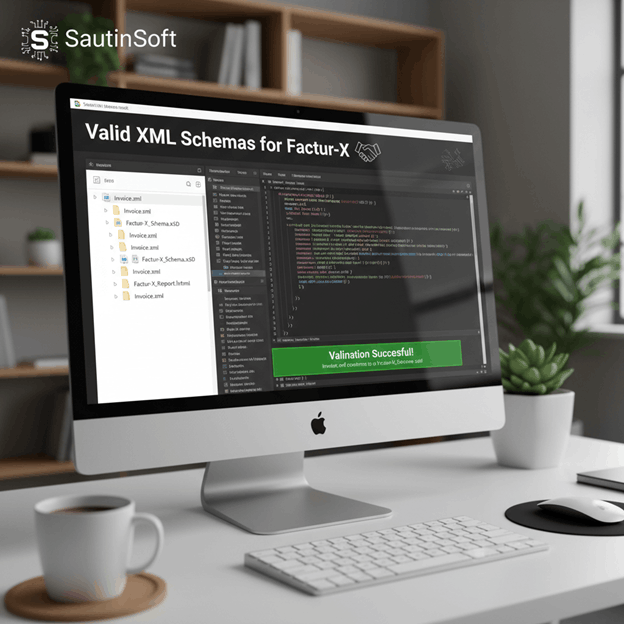
Valid XML Schemas for EN 16931
As indicated earlier, the structured data expressed in XML must conform to one of the following schemas: UBL or CII, to comply with the requirements of the EN 16931 standard. The ZUGFeRD custom XML schema was based on the CII standard; however, it does not comply with the EN 16931 standard. ZUGFeRD version 2.0 and Factur-X are specifically developed to comply with the requirements of the EN 16931 standard and are based on the CII D16B version.
The XML syntax of ZUGFeRD version 2.3 and Factur-X version 1.0.07 is based on the CII D22B version with updates to make it more aligned with the requirements of the EN 16931 standard.

Creating ZUGFeRD-Compatible Document/Invoices with PDF .Net
We’ve created a simple code sample showing how you can use PDF’ Engine to create a PDF conforming to the latest ZUGFeRD and Factur-X standards.
In order to generate ZUGFeRD, we need an XML file with the machine-readable invoice data. In this example, we are using some data that has been made available as part of the current specification, available on the official site. Of course, if you are using a CRM or an invoice system, it is very probable that it supports generating the required invoice data in the appropriate format. If not, then we might have a solution for you later on in this article.
We are not going into the requirements for PDF/A-3 creation, as this has been fully discussed in a recent article. Briefly, we create a PDF/A-3b compliant document, set the output intent for color management, and then embed the font we are using for the visualized invoice data. Additionally, we need to set the metadata for the PDF in the XMP format, as this is a requirement for PDF/A.
The crucial step for ZUGFeRD is embedding the factur-x.xml file into the document as an attachment. As we have seen in the previous section, this is done via the /AF (Associated Files) key.
Code Snippet:
            var page = document.Pages.Add();

                var formattedText1 = new PdfFormattedText();
                var text1 = "Hello World";
                formattedText1.FontSize = 15;
                formattedText1.FontFamily = new PdfFontFamily("Calibri");
                formattedText1.Append(text1);
                page.Content.DrawText(formattedText1, new PdfPoint(110, 650));

                var formattedText2 = new PdfFormattedText();
                var text2 = "This message was";
                formattedText2.FontSize = 16;
                formattedText2.FontFamily = new PdfFontFamily("Times New Roman");
                formattedText2.FontStyle = PdfFontStyle.Italic;
                formattedText2.Color = PdfColor.FromRgb(1, 0, 0);
                formattedText2.Append(text2);
                page.Content.DrawText(formattedText2, new PdfPoint(115, 632));

                var formattedText3 = new PdfFormattedText();
                var text3 = "created by SautinSoft";
                formattedText3.FontSize = 22;
                formattedText3.FontStyle = PdfFontStyle.Italic;
                formattedText3.FontFamily = new PdfFontFamily("Times New Roman");
                formattedText3.Color = PdfColor.FromRgb(1, 0, 0);
                formattedText3.Append(text3);
                page.Content.DrawText(formattedText3, new PdfPoint(110, 610));

                var formattedText4 = new PdfFormattedText();
                var text4 = "component!";
                formattedText4.FontSize = 22;
                formattedText4.FontFamily = new PdfFontFamily("Times New Roman");
                formattedText4.Append(text4);
                page.Content.DrawText(formattedText4, new PdfPoint(303, 610));

                var pdfOptions = new PdfSaveOptions()
                {
                    // Factur-X is at the same time a full readable invoice in a PDF A/3 format,
                    // containing all information useful for its treatment, especially in case of discrepancy or absence of automatic matching with orders and / or receptions,
                    // and a set of invoice data presented in an XML structured file conformant to EN16931 (syntax CII D16B), complete or not, allowing invoice process automation.

                    // Select the desired PDF/A version.
                    Version = PdfVersion.PDF_A_3A,
                    FacturXXml = File.ReadAllText(xmlInfo)
                };

                // Save a PDF document like the FacturX Zugferd.
                // Read more information about Factur-X: https://fnfe-mpe.org/factur-x/

                document.Save("Output.pdf",pdfOptions);
Key Features:
- Create hybrid PDFs that adhere to ZUGFeRD 2.2 standards.
- Integrate XRechnung XML directly into PDF/A-3 format.
- Support all ZUGFeRD profiles, including Basic, Comfort, and Extended.
- Automatic validation and conversion of PDFs to A-3 format.
- Preserve the original layout and design of the PDF; support digital signatures for authenticity; and ensure compliance with all German tax regulations.
PDF .Net by SautinSoft is compatible with Factur-X, which fully supports XRechnung and the European standard EN 16931. This guarantees optimal compatibility with both German and European systems.
SautinSoft solutions facilitate the conversion of any Word documents into PDF/A-3 format with embedded XML that meets all necessary requirements, ensuring mandatory compliance for invoicing in the German public sector, automatic Leitweg-ID validation for government routing, and built-in validation for French tax regulations.
Standards support: The library supports Factur-X (ZUGFeRD 2.2), which complies with the European standard EN 16931.
PDF/A-1A, PDF/A-1B, PDF/A-2A, PDF/A-2B, PDF/A-2U, PDF/A-3A, PDF/A-3B, PDF/A-3U, PDF/A-4E.
Cross-platform: Works on Windows, Linux, and macOS (.NET 6/7/8/9/10, Net Framework 4.6 -4.8, Standard).
Complete code
 GitHub
using System;
using SautinSoft.Pdf;
using System.IO;
using SautinSoft.Pdf.Content;
using System.Drawing;
using System.Runtime.CompilerServices;
namespace Sample
{
class Program
{
/// <remarks>
/// Details: https://sautinsoft.com/products/pdf/help/net/developer-guide/create-european-standardized-pdf-document.php
/// </remarks>
static void Main()
{
// Before starting this example, please get a free trial key:
// https://sautinsoft.com/start-for-free/
// Apply the key here:
// PdfDocument.SetLicense("...");
string xmlInfo = @"..\..\..\Facture.xml";
using (var document = new PdfDocument())
{
var page = document.Pages.Add();
var formattedText1 = new PdfFormattedText();
var text1 = "Hello World";
formattedText1.FontSize = 15;
formattedText1.FontFamily = new PdfFontFamily("Calibri");
formattedText1.Append(text1);
page.Content.DrawText(formattedText1, new PdfPoint(110, 650));
var formattedText2 = new PdfFormattedText();
var text2 = "This message was";
formattedText2.FontSize = 16;
formattedText2.FontFamily = new PdfFontFamily("Times New Roman");
formattedText2.FontStyle = PdfFontStyle.Italic;
formattedText2.Color = PdfColor.FromRgb(1, 0, 0);
formattedText2.Append(text2);
page.Content.DrawText(formattedText2, new PdfPoint(115, 632));
var formattedText3 = new PdfFormattedText();
var text3 = "created by SautinSoft";
formattedText3.FontSize = 22;
formattedText3.FontStyle = PdfFontStyle.Italic;
formattedText3.FontFamily = new PdfFontFamily("Times New Roman");
formattedText3.Color = PdfColor.FromRgb(1, 0, 0);
formattedText3.Append(text3);
page.Content.DrawText(formattedText3, new PdfPoint(110, 610));
var formattedText4 = new PdfFormattedText();
var text4 = "component!";
formattedText4.FontSize = 22;
formattedText4.FontFamily = new PdfFontFamily("Times New Roman");
formattedText4.Append(text4);
page.Content.DrawText(formattedText4, new PdfPoint(303, 610));
var pdfOptions = new PdfSaveOptions()
{
// Factur-X is at the same time a full readable invoice in a PDF A/3 format,
// containing all information useful for its treatment, especially in case of discrepancy or absence of automatic matching with orders and / or receptions,
// and a set of invoice data presented in an XML structured file conformant to EN16931 (syntax CII D16B), complete or not, allowing invoice process automation.
// Select the desired PDF/A version.
Version = PdfVersion.PDF_A_3A,
FacturXXml = File.ReadAllText(xmlInfo)
};
// Save a PDF document like the FacturX Zugferd.
// Read more information about Factur-X: https://fnfe-mpe.org/factur-x/
document.Save("Output.pdf",pdfOptions);
}
}
}
}
Imports System
Imports SautinSoft.Pdf
Imports System.IO
Imports SautinSoft.Pdf.Content
Imports System.Drawing

Namespace Sample
    Class Program
        ''' <remarks>
        ''' Details: https://sautinsoft.com/products/pdf/help/net/developer-guide/create-european-standardized-pdf-document.php
        ''' </remarks>
        Shared Sub Main()
            ' Before starting this example, please get a free trial key:
            ' https://sautinsoft.com/start-for-free/

            ' Apply the key here:
            ' PdfDocument.SetLicense("...")
            Dim xmlInfo As String = "..\..\..\Facture.xml"

            Using document As New PdfDocument()

                Dim page = document.Pages.Add()

                Dim formattedText1 As New PdfFormattedText()
                Dim text1 As String = "Hello World"
                formattedText1.FontSize = 15
                formattedText1.FontFamily = New PdfFontFamily("Calibri")
                formattedText1.Append(text1)
                page.Content.DrawText(formattedText1, New PdfPoint(110, 650))

                Dim formattedText2 As New PdfFormattedText()
                Dim text2 As String = "This message was"
                formattedText2.FontSize = 16
                formattedText2.FontFamily = New PdfFontFamily("Times New Roman")
                formattedText2.FontStyle = PdfFontStyle.Italic
                formattedText2.Color = PdfColor.FromRgb(1, 0, 0)
                formattedText2.Append(text2)
                page.Content.DrawText(formattedText2, New PdfPoint(115, 632))

                Dim formattedText3 As New PdfFormattedText()
                Dim text3 As String = "created by SautinSoft"
                formattedText3.FontSize = 22
                formattedText3.FontStyle = PdfFontStyle.Italic
                formattedText3.FontFamily = New PdfFontFamily("Times New Roman")
                formattedText3.Color = PdfColor.FromRgb(1, 0, 0)
                formattedText3.Append(text3)
                page.Content.DrawText(formattedText3, New PdfPoint(110, 610))

                Dim formattedText4 As New PdfFormattedText()
                Dim text4 As String = "component!"
                formattedText4.FontSize = 22
                formattedText4.FontFamily = New PdfFontFamily("Times New Roman")
                formattedText4.Append(text4)
                page.Content.DrawText(formattedText4, New PdfPoint(303, 610))

                Dim pdfOptions As New PdfSaveOptions() With {
                    .Version = PdfVersion.PDF_A_3A,
                    .FacturXXml = File.ReadAllText(xmlInfo)
                }

                ' Save a PDF document like the FacturX Zugferd.
                ' Read more information about Factur-X: https://fnfe-mpe.org/factur-x/

                document.Save("Output.pdf", pdfOptions)
            End Using

        End Sub
    End Class
End NamespaceIf you need a new code example or have a question: email us at support@sautinsoft.com or ask at Online Chat (right-bottom corner of this page).