How to set page margins in HTML using C# and .NET
Formatting documents and converting them to various formats is an important task in business application development. In particular, creating HTML pages with customized formatting settings, such as page margins, allows for more accurate content display on the web or when preparing documents for print. In this article, we'll discuss how to set page margins in C# and .NET using the component RTF TO HTML .NET from SautinSoft library.
In the context of HTML, page margin settings are padding or indentations that define the distance between the document's content and its edges. In the classic sense, this is usually implemented through CSS properties such as margin or padding.
In the context of converting RTF (Rich Text Format) to HTML, this is important because RTF has structure and properties attached to the text, and during conversion, these must be correctly interpreted and converted into CSS styles or HTML document properties.
Why is setting page margins important?
- Printing and formatting: When preparing a document for printing, it's important to set the correct margins to prevent text from appearing unprofessional or overflowing.
- Web display: In web applications, content may need to be displayed with appropriate margins to ensure it complies with business card or printed document standards.
- Automation and standardization: Automatic margin setting eliminates manual work by designers and improves the quality of documentation.
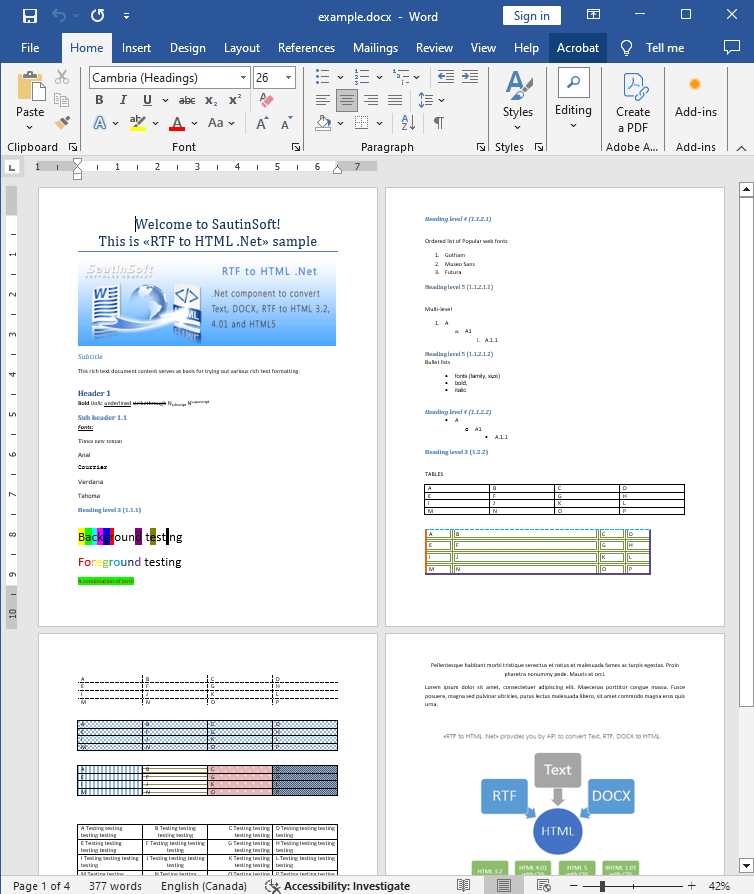
Input file:
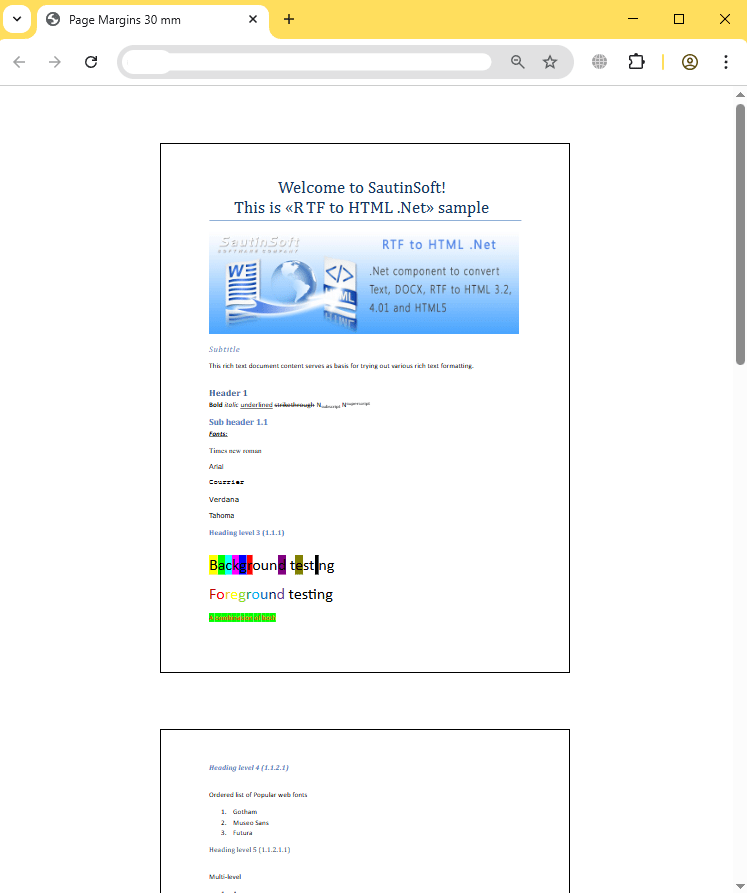
Output result:
Complete code
 GitHub
using System;
using System.Collections.Generic;
using System.Linq;
using System.Text;
using System.IO;
using SautinSoft;
namespace Example
{
class Program
{
static void Main(string[] args)
{
PageMargins();
}
/// <summary>
/// Set page custom margins.
/// </summary>
static void PageMargins()
{
string inpFile = @"..\..\..\example.docx";
string outFile = @"Result.html";
RtfToHtml r = new RtfToHtml();
// Set page margins 30 mm.
RtfToHtml.HtmlFixedSaveOptions opt = new RtfToHtml.HtmlFixedSaveOptions()
{
Title = "Page Margins 30 mm",
PageMargins = RtfToHtml.LengthUnitConverter.Convert(30, RtfToHtml.LengthUnit.Millimeter, RtfToHtml.LengthUnit.Point)
};
try
{
r.Convert(inpFile, outFile, opt);
}
catch (Exception ex)
{
Console.WriteLine($"Conversion failed! {ex.Message}");
}
// Open the result.
System.Diagnostics.Process.Start(new System.Diagnostics.ProcessStartInfo(outFile) { UseShellExecute = true });
}
}
}Imports System
Imports System.Collections.Generic
Imports System.Linq
Imports System.Text
Imports System.IO
Imports SautinSoft
Namespace Example
Friend Class Program
Shared Sub Main(ByVal args() As String)
PageMargins()
End Sub
''' <summary>
''' Set page custom margins.
''' </summary>
Private Shared Sub PageMargins()
Dim inpFile As String = "..\..\..\example.docx"
Dim outFile As String = "Result.html"
Dim r As New RtfToHtml()
' Set page margins 30 mm.
Dim opt As New RtfToHtml.HtmlFixedSaveOptions() With {
.Title = "Page Margins 30 mm",
.PageMargins = RtfToHtml.LengthUnitConverter.Convert(30, RtfToHtml.LengthUnit.Millimeter, RtfToHtml.LengthUnit.Point)
}
Try
r.Convert(inpFile, outFile, opt)
Catch ex As Exception
Console.WriteLine($"Conversion failed! {ex.Message}")
End Try
' Open the result.
System.Diagnostics.Process.Start(New System.Diagnostics.ProcessStartInfo(outFile) With {.UseShellExecute = True})
End Sub
End Class
End Namespace
If you need a new code example or have a question: email us at support@sautinsoft.com or ask at Online Chat (right-bottom corner of this page).