How to produce HTML document only between <body>...</body> tags in C# and .NET
In modern programming, the task of extracting or creating a fragment of an HTML document limited by certain tags, for example, only the content within the `body` tag, is often encountered. This is especially true when working with dynamic web applications, generating reports, or processing documents, where you need to extract only a portion of the HTML, without unnecessary elements.
One powerful tool for converting various formats to HTML is the component RTF TO HTML .NET from SautinSoft library. In this article, we'll look at how to use this library to implement a function that takes RTF or another format, converts it to an HTML document, and then extracts only the content within the `body`...`body` tags.
A complete HTML document can contain `html`, `head`, `body`, and other elements.
Sometimes you only need to extract the `body` content, for example:
- Inserting a portion of HTML into an existing page.
- Creating fragments for further processing.
- Exporting specific sections of a document.
This also helps reduce the volume of final data and avoid unnecessary elements, especially with automatic report generation or partial insertions.
What is the benefit of this approach?
- Automated document processing: you can easily integrate it into automatic HTML report generation systems.
- Support for various formats: regardless of the source format, you will still get the `body` content.
- Further flexibility: the resulting fragment can be inserted into templates, edited, or saved separately.
Processing a specific HTML fragment is a common scenario when developing content management systems, email generation, or automatic reporting content. Such solutions are primarily used in services that dynamically generate HTML and in situations where only the relevant part needs to be extracted from large documents.
Other interesting aspects and tips:
- Error handling: when working with regular expressions, it's important to consider possible cases of missing `body` or corrupted HTML.
- Using HTML parsers: for more reliable processing, you can use HTML parsing libraries, such as AngleSharp or HtmlAgilityPack, which will ensure greater extraction accuracy.
- Customizing the conversion: SautinSoft allows you to manage the styles and structure of the HTML, so you can prepare settings in advance if needed.
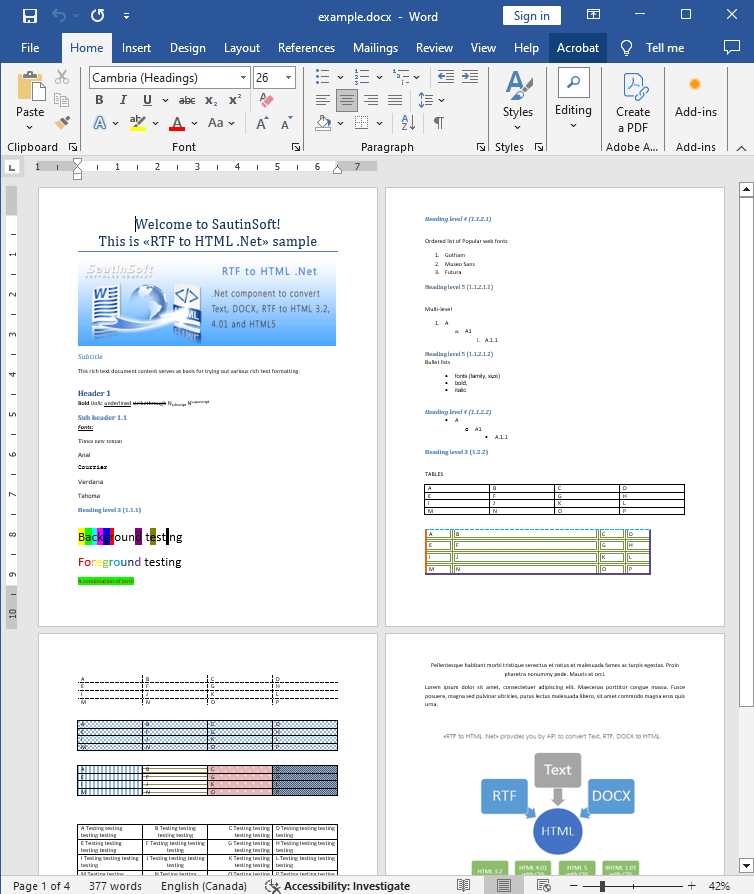
Input file:
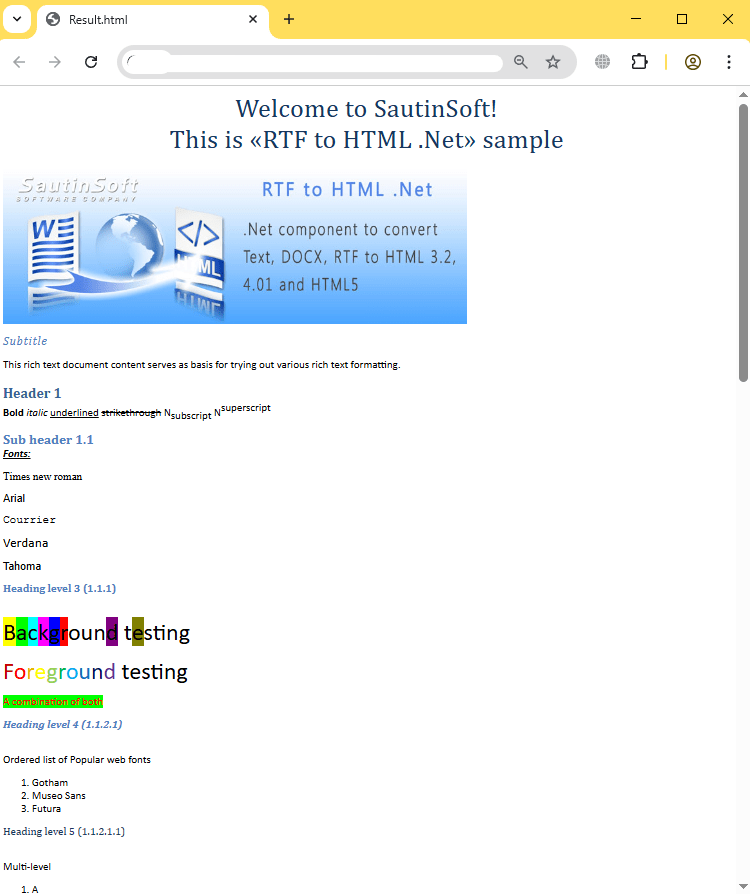
Output result:
Complete code
 GitHub
using System;
using System.Collections.Generic;
using System.Linq;
using System.Text;
using System.IO;
using SautinSoft;
namespace Example
{
class Program
{
static void Main(string[] args)
{
ProduceOnlyHtmlBody();
}
/// <summary>
/// How to produce HTML document only between <body>...</body> tags.
/// </summary>
static void ProduceOnlyHtmlBody()
{
string inpFile = @"..\..\..\example.docx";
string outFile = @"Result.html";
RtfToHtml r = new RtfToHtml();
// Set properties to produce HTML document only
// between <body>...</body> tags
RtfToHtml.HtmlFlowingSaveOptions opt = new RtfToHtml.HtmlFlowingSaveOptions()
{
ProduceOnlyHtmlBody = true
};
try
{
r.Convert(inpFile, outFile, opt);
}
catch (Exception ex)
{
Console.WriteLine($"Conversion failed! {ex.Message}");
}
// Open the result.
System.Diagnostics.Process.Start(new System.Diagnostics.ProcessStartInfo(outFile) { UseShellExecute = true });
}
}
}Imports System
Imports System.Collections.Generic
Imports System.Linq
Imports System.Text
Imports System.IO
Imports SautinSoft
Namespace Example
Friend Class Program
Shared Sub Main(ByVal args() As String)
ProduceOnlyHtmlBody()
End Sub
''' <summary>
''' How to produce HTML document only between <body>...</body> tags.
''' </summary>
Private Shared Sub ProduceOnlyHtmlBody()
Dim inpFile As String = "..\..\..\example.docx"
Dim outFile As String = "Result.html"
Dim r As New RtfToHtml()
' Set properties to produce HTML document only
' between <body>...</body> tags
Dim opt As New RtfToHtml.HtmlFlowingSaveOptions() With {
.ProduceOnlyHtmlBody = True
}
Try
r.Convert(inpFile, outFile, opt)
Catch ex As Exception
Console.WriteLine($"Conversion failed! {ex.Message}")
End Try
' Open the result.
System.Diagnostics.Process.Start(New System.Diagnostics.ProcessStartInfo(outFile) With {.UseShellExecute = True})
End Sub
End Class
End Namespace
If you need a new code example or have a question: email us at support@sautinsoft.com or ask at Online Chat (right-bottom corner of this page).