Convert to HTML and build navigation page in C# and .NET
In today's web development world, processing documents in various formats is an important task, enabling the integration of document content into web applications, making them more versatile and accessible. One such popular scenario is converting RTF (Rich Text Format) documents to HTML—the standard format for displaying formatted text in browsers.
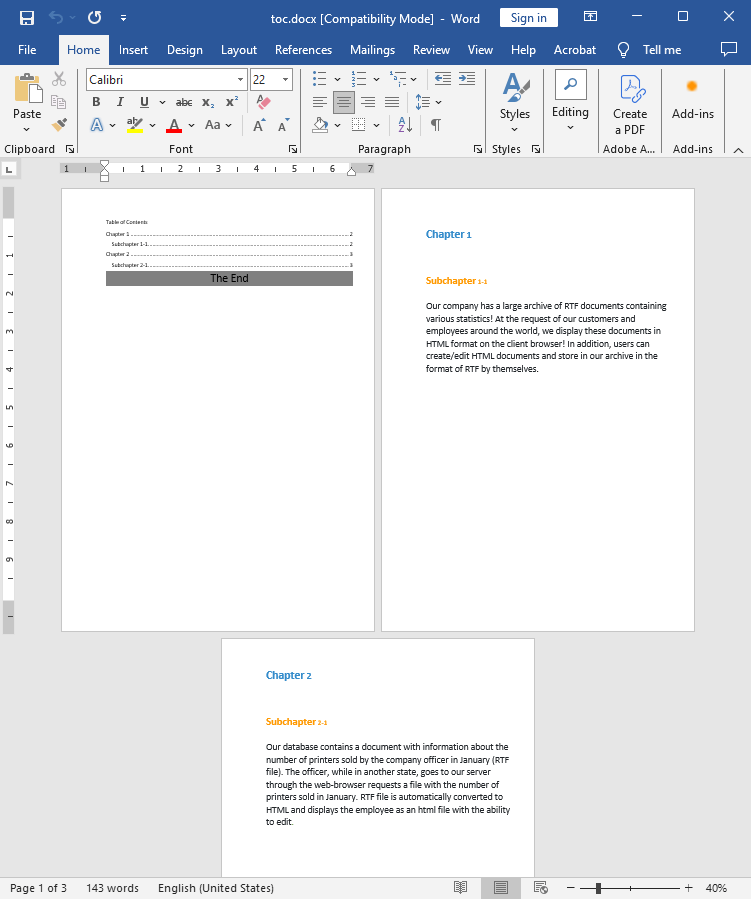
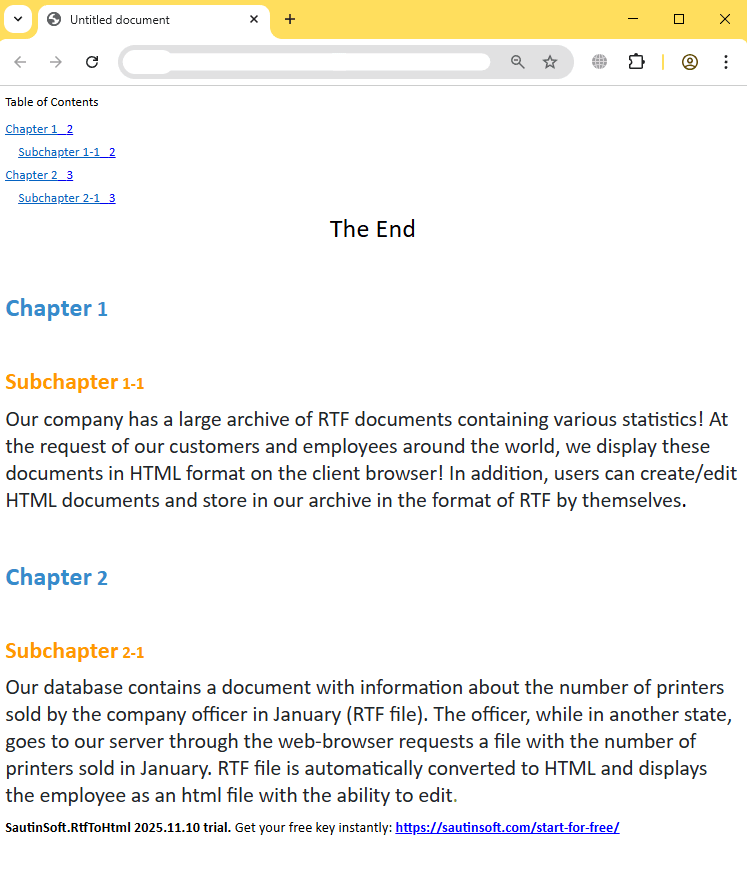
In this article, we'll look at how to implement DOCX to HTML conversion and create a navigation page based on this process in C# and .NET, using the powerful component RTF TO HTML .NET from SautinSoft library.
What and how this can be useful:
- Web applications for viewing documents: displaying RTF files as HTML pages for easy viewing in a browser.
- Document automation: creating an HTML interface from corporate reports.
- Navigation page generation: creating indexes with hyperlinks for multiple documents or sections.
- Educational platforms: integrating RTF-based materials into educational portals by converting them to HTML.
- Data migration: transferring content from RTF format to web-based systems.
This approach is ideal for:
- Creating web archives or document databases.
- Posting documentation or instructions on corporate portals.
- Publishing reports and analytics as interactive pages.
Input file:
Output result:
Complete code
 GitHub
using System;
using System.Collections.Generic;
using System.Linq;
using System.Text;
using System.IO;
using SautinSoft;
namespace Example
{
class Program
{
static void Main(string[] args)
{
BuildNavigationPage();
}
/// <summary>
/// This sample shows how to generate a navigation page (like a TOC - table of contents).
/// </summary>
static void BuildNavigationPage()
{
string inpFile = @"..\..\..\toc.docx";
string outFile = @"Result.html";
RtfToHtml r = new RtfToHtml();
RtfToHtml.HtmlFlowingSaveOptions opt = new RtfToHtml.HtmlFlowingSaveOptions()
{
BuildNavigationPage = false
};
try
{
r.Convert(inpFile, outFile, opt);
}
catch (Exception ex)
{
Console.WriteLine($"Conversion failed! {ex.Message}");
}
// Open the result.
System.Diagnostics.Process.Start(new System.Diagnostics.ProcessStartInfo(outFile) { UseShellExecute = true });
}
}
}Imports System
Imports System.Collections.Generic
Imports System.Linq
Imports System.Text
Imports System.IO
Imports SautinSoft
Namespace Example
Friend Class Program
Shared Sub Main(ByVal args() As String)
BuildNavigationPage()
End Sub
''' <summary>
''' This sample shows how to generate a navigation page (like a TOC - table of contents).
''' </summary>
Private Shared Sub BuildNavigationPage()
Dim inpFile As String = "..\..\..\toc.docx"
Dim outFile As String = "Result.html"
Dim r As New RtfToHtml()
Dim opt As New RtfToHtml.HtmlFlowingSaveOptions() With {.BuildNavigationPage = True}
Try
r.Convert(inpFile, outFile, opt)
Catch ex As Exception
Console.WriteLine($"Conversion failed! {ex.Message}")
End Try
' Open the result.
System.Diagnostics.Process.Start(New System.Diagnostics.ProcessStartInfo(outFile) With {.UseShellExecute = True})
End Sub
End Class
End Namespace
If you need a new code example or have a question: email us at support@sautinsoft.com or ask at Online Chat (right-bottom corner of this page).