Split document into parts when saving to HTML format in C# and .NET
Processing text documents is a key task when working with various data formats. Often, there is a need not simply to convert documents from one format to another, but to do so taking into account the document's structural features, such as splitting them into parts.
In this article, we will examine how the component RTF TO HTML .NET from SautinSoft API can be used to automatically split a document into parts when saving it in HTML format. This approach allows for the automated creation of large articles, reports, and books, making them more convenient for display in browsers.
When working with large documents, saving them in their entirety is often insufficient. Web pages with long content can be difficult for users to read, especially if you need to break the material into sections, pages, or add navigation.
Splitting content into parts when saving in HTML allows you to:
- Improve document readability.
- Create interactive navigation menus.
- Load content parts as needed.
- Embed each part in a separate page or section of the website.
The effectiveness of this approach:
- Automatic processing of large documents.
- Easy adaptation to different document structures.
- Ability to integrate splitting into the workflow.
This tool is suitable for developers creating automated systems:
- For generating documentation where chapters need to be split.
- For blogging platforms that allow content to be displayed in sections.
- For training, when individual sections need to be demonstrated.
- In corporate applications for splitting reports into sections for downloading and viewing.
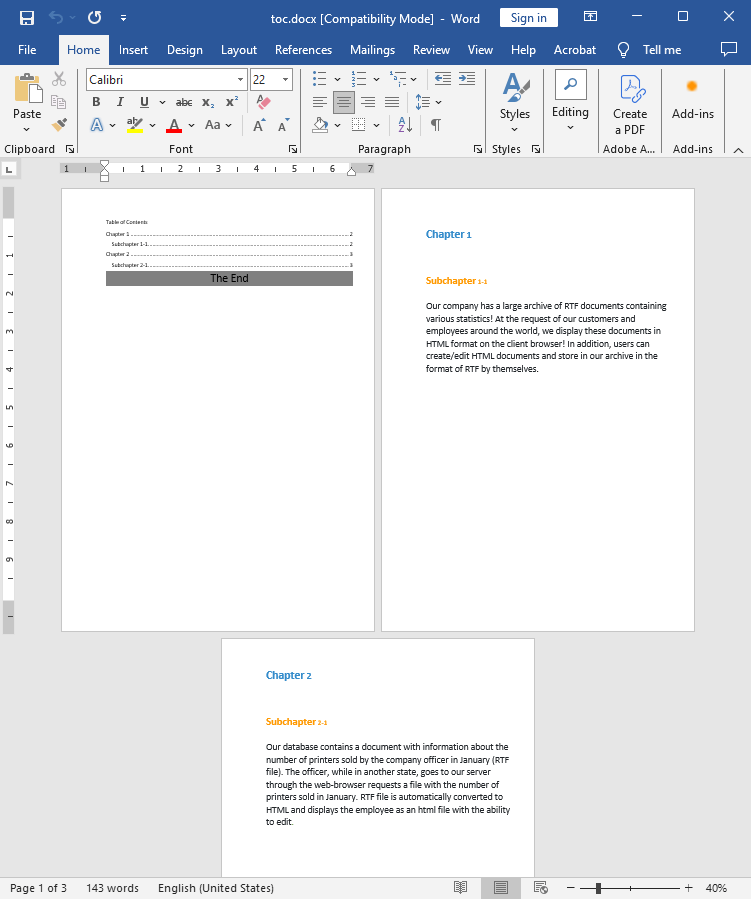
Input file:
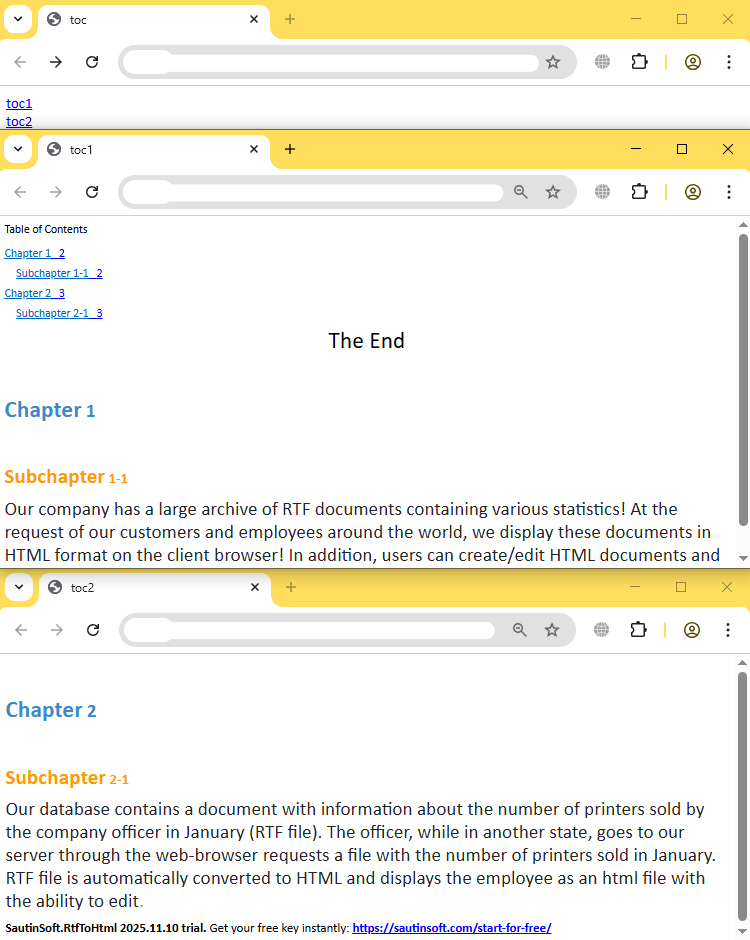
Output result:
Complete code
 GitHub
using System;
using System.Collections.Generic;
using System.Linq;
using System.Text;
using System.IO;
using SautinSoft;
namespace Example
{
class Program
{
static void Main(string[] args)
{
SplitCriteria();
}
/// <summary>
/// Specifies how the document should be split when saving to Html format.
/// </summary>
static void SplitCriteria()
{
// Get your free key here:
// https://sautinsoft.com/start-for-free/
// If you need more information about "RTF to HTML .Net"
// Email us at: support@sautinsoft.com.
string inpFile = @"..\..\..\toc.docx";
string outFile = @"toc.html";
RtfToHtml r = new RtfToHtml();
RtfToHtml.HtmlFlowingSaveOptions opt = new RtfToHtml.HtmlFlowingSaveOptions()
{
SplitCriteria = RtfToHtml.HtmlSplitCriteria.PageBreak,
SplitHeadingLevel = 2
};
try
{
r.Convert(inpFile, outFile, opt);
}
catch (Exception ex)
{
Console.WriteLine($"Conversion failed! {ex.Message}");
}
// Open the result.
System.Diagnostics.Process.Start(new System.Diagnostics.ProcessStartInfo(outFile) { UseShellExecute = true });
}
}
}Imports System
Imports System.Collections.Generic
Imports System.Linq
Imports System.Text
Imports System.IO
Imports SautinSoft
Namespace Example
Friend Class Program
Shared Sub Main(ByVal args() As String)
SplitCriteria()
End Sub
''' <summary>
''' Specifies how the document should be split when saving to Html format.
''' </summary>
Private Shared Sub SplitCriteria()
' Get your free key here:
' https://sautinsoft.com/start-for-free/
' If you need more information about "RTF to HTML .Net"
' Email us at: support@sautinsoft.com.
Dim inpFile As String = "..\..\..\toc.docx"
Dim outFile As String = "toc.html"
Dim r As New RtfToHtml()
Dim opt As New RtfToHtml.HtmlFlowingSaveOptions() With {
.SplitCriteria = RtfToHtml.HtmlSplitCriteria.PageBreak,
.SplitHeadingLevel = 2
}
Try
r.Convert(inpFile, outFile, opt)
Catch ex As Exception
Console.WriteLine($"Conversion failed! {ex.Message}")
End Try
' Open the result.
System.Diagnostics.Process.Start(New System.Diagnostics.ProcessStartInfo(outFile) With {.UseShellExecute = True})
End Sub
End Class
End Namespace
If you need a new code example or have a question: email us at support@sautinsoft.com or ask at Online Chat (right-bottom corner of this page) or use the Form below: