Convert Text file to PDF file in C# and .NET
Converting text files to PDF is a common task when automating document workflows, creating reports, or preparing materials for distribution. In this review, we'll take a detailed look at how to accomplish this task using the powerful PDF Metamorphosis .NET from SautinSoft library. We'll particularly highlight the practical uses, benefits, and interesting aspects of this approach.
Converting a text file (.txt) to PDF is the process of transforming plain, unformatted text into a visually appealing, secure, and device-compatible PDF document. This file is convenient for distribution, printing, and archiving.
This functionality is widely used in various fields:
- Reporting automation: creating PDF reports from text data.
- Documentation generation: converting source text documents into a universal format for distribution.
- Data security: implementing it in systems that require converting and protecting important text files.
- Educational platforms: creating educational materials in PDF from prepared text.
- Data processing with automated tasks: For example, scripts that convert log files into a readable format.
This example is a basic starting point. It demonstrates that:
- Simple integration allows you to automate PDF generation processes.
- It can be connected to server applications or automated scripts.
- The API allows for expanded functionality: adding fonts, logos, watermarks, and password protection.
This code is often used by development teams as part of automated reporting and document management systems. It eliminates the need for manual copying and conversion, speeding up business processes.
Unconventional aspects and tips:
- Large file processing: For very large text documents, it's best to use stream processing to avoid memory overload.
- Style customization: You can add fonts, change text or background colors for a more professional look.
- Automation: Can be combined with other components, for example, extracting text from databases or web sources and immediately converting to PDF.
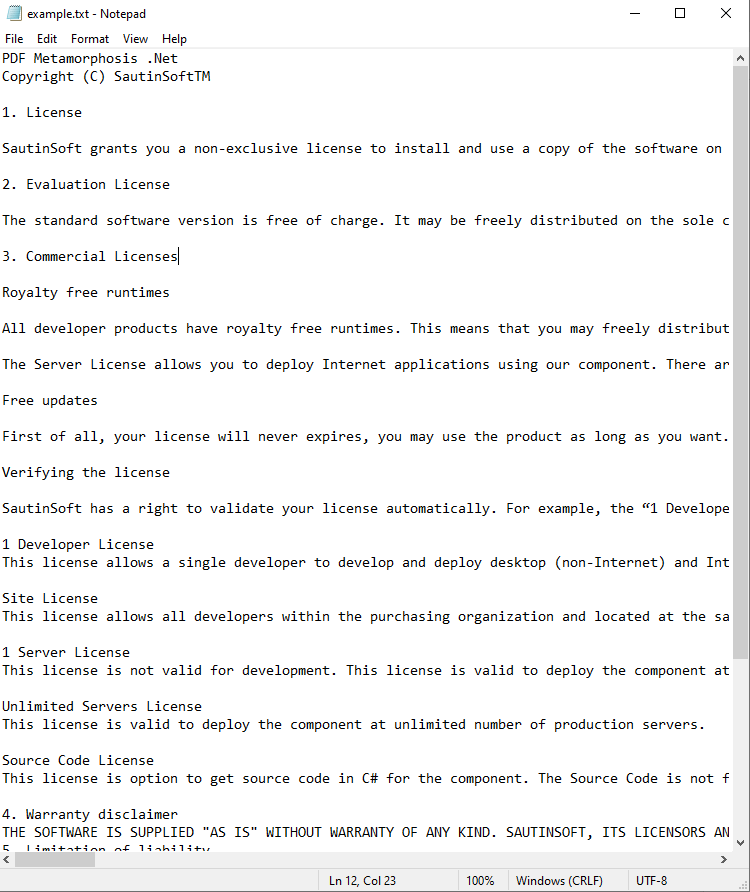
Input file:
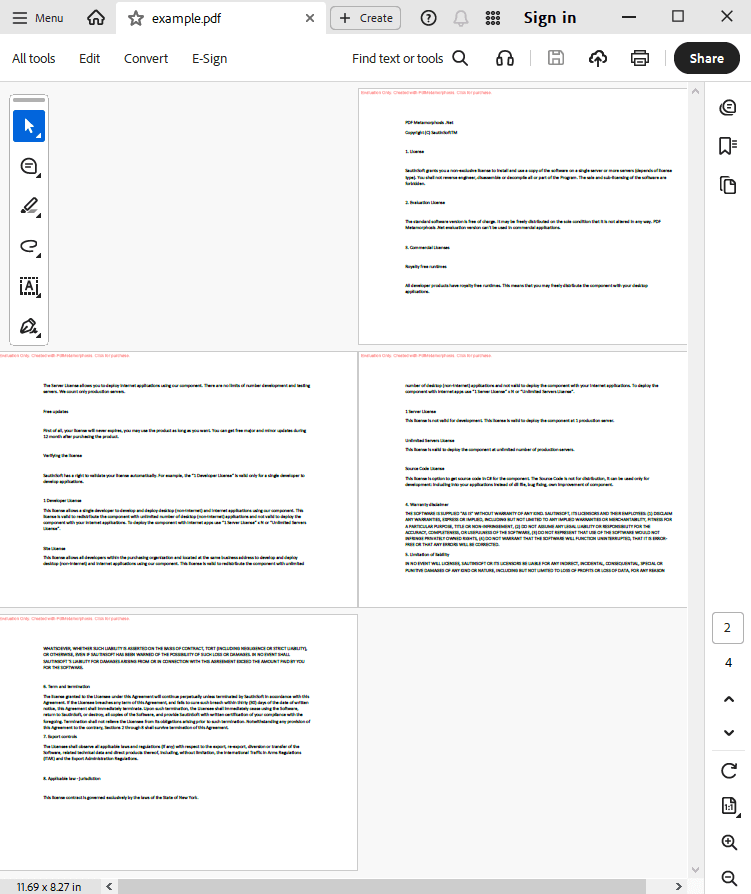
Output result:
Complete code
 GitHub
using System;
using System.IO;
namespace Sample
{
class Test
{
static void Main(string[] args)
{
// Before starting, we recommend to get a free key:
// https://sautinsoft.com/start-for-free/
// Apply the key here:
// SautinSoft.PdfMetamorphosis.SetLicense("...");
SautinSoft.PdfMetamorphosis p = new SautinSoft.PdfMetamorphosis();
// Let's set: A4, Landscape orientation, left and right margins: 1.5 Inch, top and bottom: 1 Inch
p.PageSettings.Size.A4();
p.PageSettings.Orientation = SautinSoft.PdfMetamorphosis.PageSetting.Orientations.Landscape;
p.PageSettings.MarginLeft.Inch(1.5f);
p.PageSettings.MarginRight.Inch(1.5f);
p.PageSettings.MarginTop.Inch(1.0f);
p.PageSettings.MarginBottom.Inch(1.0f);
if (p != null)
{
string textPath = @"..\..\..\example.txt";
string pdfPath = Path.ChangeExtension(textPath,".pdf");
if (p.TextToPdfConvertFile(textPath, pdfPath) == 0)
System.Diagnostics.Process.Start(new System.Diagnostics.ProcessStartInfo(pdfPath) { UseShellExecute = true });
else
{
System.Console.WriteLine("An error occurred during converting Text to PDF!");
Console.ReadLine();
}
}
}
}
}
Imports System
Imports System.IO

Namespace Sample
    Friend Class Test
        Shared Sub Main(ByVal args() As String)
			' Before starting, we recommend to get a free key:
            ' https://sautinsoft.com/start-for-free/

            ' Apply the key here:
			' SautinSoft.PdfMetamorphosis.SetLicense("...");


            Dim p As New SautinSoft.PdfMetamorphosis()

            ' Let's set: A4, Landscape orientation, left and right margins: 1.5 Inch, top and bottom: 1 Inch
            p.PageSettings.Size.A4()
            p.PageSettings.Orientation = SautinSoft.PdfMetamorphosis.PageSetting.Orientations.Landscape
            p.PageSettings.MarginLeft.Inch(1.5F)
            p.PageSettings.MarginRight.Inch(1.5F)
            p.PageSettings.MarginTop.Inch(1.0F)
            p.PageSettings.MarginBottom.Inch(1.0F)

            If p IsNot Nothing Then
                Dim textPath As String = "..\..\..\example.txt"
                Dim pdfPath As String = Path.ChangeExtension(textPath, ".pdf")

                If p.TextToPdfConvertFile(textPath, pdfPath) = 0 Then
                    System.Diagnostics.Process.Start(New System.Diagnostics.ProcessStartInfo(pdfPath) With {.UseShellExecute = True})
                Else
                    System.Console.WriteLine("An error occurred during converting Text to PDF!")
                    Console.ReadLine()
                End If
            End If
        End Sub
    End Class
End NamespaceIf you need a new code example or have a question: email us at support@sautinsoft.com or ask at Online Chat (right-bottom corner of this page).