Convert RTF string to PDF file in C# and .NET
In modern programming, there is often a need to convert document formats to improve compatibility, enhance security, or unify data. One such task is converting RTF (Rich Text Format) documents to PDF (Portable Document Format) — a popular and widely used standard for storing and exchanging electronic documents. In this article, we will discuss how to implement this task using PDF Metamorphosis .NET from SautinSoft SDK.
By implementing this functionality, you will be able to:
- Automate the creation of reports and documents in corporate systems.
- Ensure data storage versatility by exporting RTF-edited documents to the universal and widely supported PDF format.
- Simplify the exchange of documentation with external partners or clients who prefer PDF.
- Ensure security and content control, as PDF is easier to protect with passwords or restrictions.
- Integrate functionality into web applications or servers, automating backup and documentation preparation.
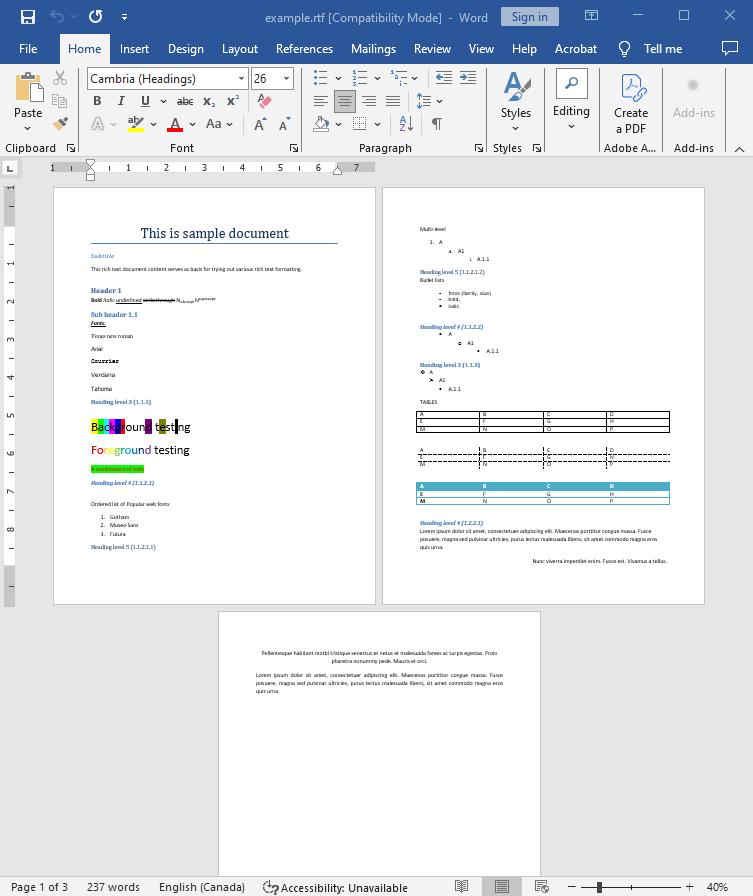
Input file:
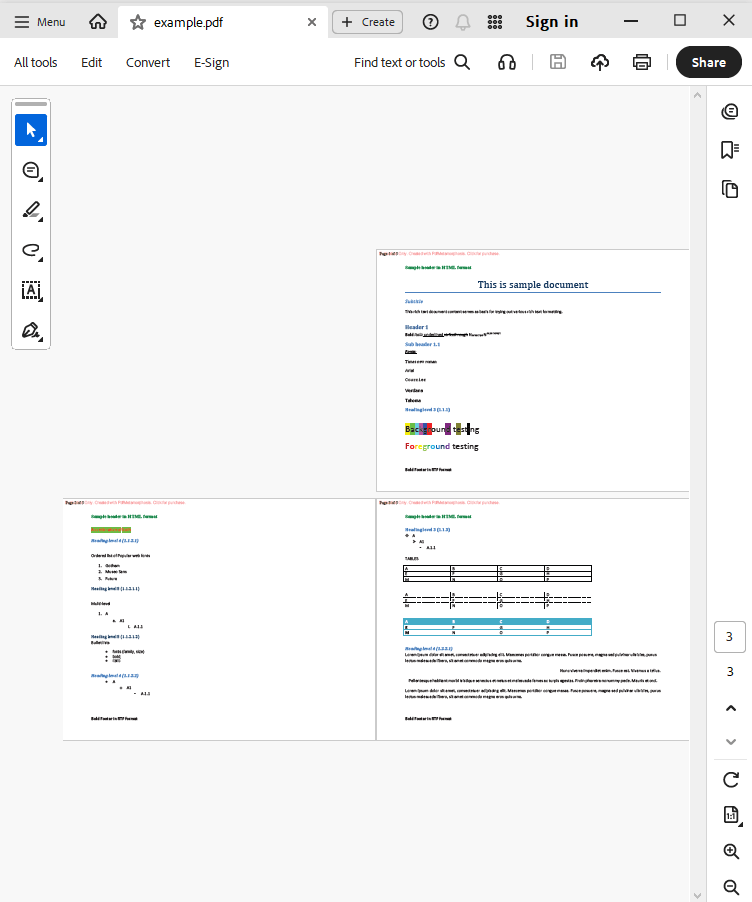
Output result:
Complete code
 GitHub
using System;
using System.IO;
using System.Collections;
namespace Sample
{
class Test
{
static void Main(string[] args)
{
// Before starting, we recommend to get a free key:
// https://sautinsoft.com/start-for-free/
// Apply the key here:
// SautinSoft.PdfMetamorphosis.SetLicense("...");
SautinSoft.PdfMetamorphosis p = new SautinSoft.PdfMetamorphosis();
if (p != null)
{
string rtfPath = @"..\..\..\example.rtf";
string pdfPath = Path.ChangeExtension(rtfPath,".pdf");
// 1. Get RTF content from file
string rtfString = File.ReadAllText(rtfPath);
// 2. Convert RTF string to a PDF file
if (p.RtfToPdfConvertStringToFile(rtfString,pdfPath)==0)
System.Diagnostics.Process.Start(new System.Diagnostics.ProcessStartInfo(pdfPath) { UseShellExecute = true });
else
System.Console.WriteLine("An error occurred during converting RTF to PDF!");
}
}
}
}
Imports System.IO

Namespace Sample
    Friend Class Test
        Shared Sub Main(ByVal args() As String)
			' Before starting, we recommend to get a free key:
            ' https://sautinsoft.com/start-for-free/

            ' Apply the key here:
			' SautinSoft.PdfMetamorphosis.SetLicense("...");


            Dim p As New SautinSoft.PdfMetamorphosis()

            If p IsNot Nothing Then
                Dim rtfPath As String = "..\..\..\example.rtf"
                Dim pdfPath As String = Path.ChangeExtension(rtfPath, ".pdf")

                ' 1. Get RTF content from file
                Dim rtfString As String = File.ReadAllText(rtfPath)

                ' 2. Convert RTF string to a PDF file
                If p.RtfToPdfConvertStringToFile(rtfString, pdfPath) = 0 Then
                    System.Diagnostics.Process.Start(New System.Diagnostics.ProcessStartInfo(pdfPath) With {.UseShellExecute = True})
                Else
                    System.Console.WriteLine("An error occurred during converting RTF to PDF!")
                End If
            End If
        End Sub
    End Class
End NamespaceIf you need a new code example or have a question: email us at support@sautinsoft.com or ask at Online Chat (right-bottom corner of this page).