Convert RTF string to PDF bytes in C# and .NET
Modern programming increasingly faces the challenge of converting document formats-whether for report preparation, workflow automation, or data integration. One such popular scenario is converting Rich Text Format (RTF) — a flexible and widely used text document format—to PDF, which provides reliable display and versatile data transfer.
In this article, we'll explore how to use the component PDF Metamorphosis .NET from SautinSoft library to convert an RTF string to a PDF byte array in C# and .NET. We'll cover the problem definition, advantages, practical benefits, application areas, and implementation considerations.
RTF (Rich Text Format) is a formatted text interchange format developed by Microsoft. It is used to store text with formatting elements such as fonts, colors, lists, and tables. RTF is widely used in office applications such as Microsoft Word due to its simplicity and compatibility.
PDF (Portable Document Format) is a universal file format for displaying documents, preserving their original formatting regardless of platform or software. PDF is used for distributing final versions of documents, reports, forms, and presentations.
Why is converting RTF to PDF important?
- Display versatility. PDF is ideal for distributing and printing documents.
- Security and protection. PDF contains security and encryption mechanisms.
- Automation. When automatically generating reports or emails, it is important to quickly convert pre-prepared RTF into a readable and widely used format.
When is this code used?
- Automated reporting systems. Generate PDF on the fly from RTF data.
- Server-side document processing. Convert prepared RTF documents to PDF before sending them to the client.
- Integration with CRM or ERP systems. Automatic generation of final documents.
- Training or testing platforms. Create PDF reports from user data in RTF.
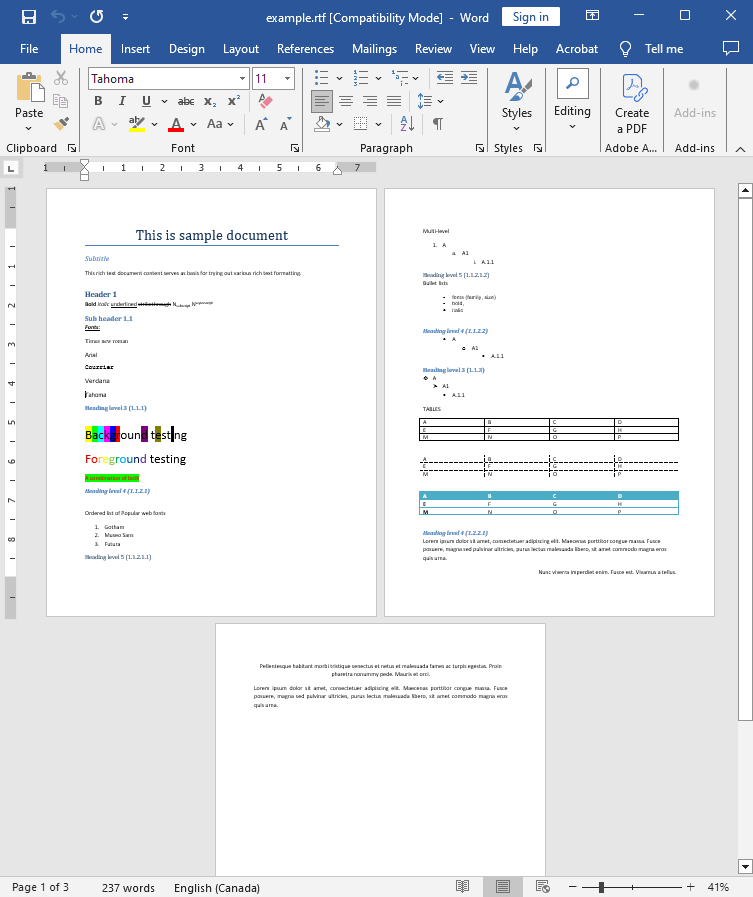
Input file:
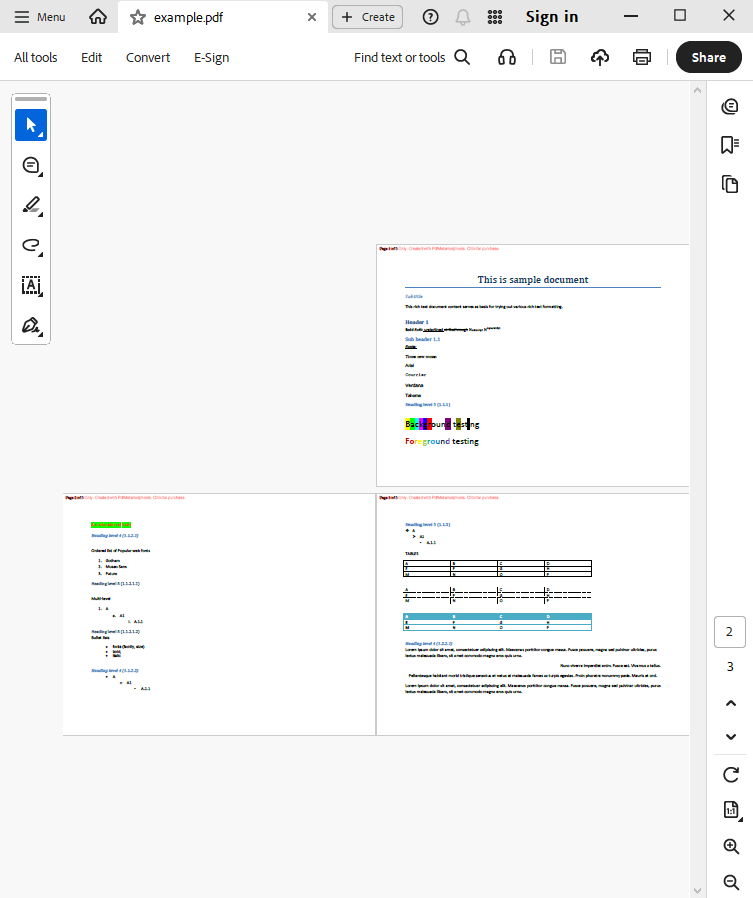
Output result:
Complete code
 GitHub
using System;
using System.IO;
using System.Collections;
namespace Sample
{
class Test
{
static void Main(string[] args)
{
// Before starting, we recommend to get a free key:
// https://sautinsoft.com/start-for-free/
// Apply the key here:
// SautinSoft.PdfMetamorphosis.SetLicense("...");
SautinSoft.PdfMetamorphosis p = new SautinSoft.PdfMetamorphosis();
// Specify some options.
p.PageSettings.Orientation = SautinSoft.PdfMetamorphosis.PageSetting.Orientations.Landscape;
// Specify page numbers.
p.PageSettings.Numbering.Text = "Page {page} of {numpages}";
if (p != null)
{
string rtfPath = @"..\..\..\example.rtf";
string pdfPath = Path.ChangeExtension(rtfPath, ".pdf");
byte[] rtfBytes = File.ReadAllBytes(rtfPath);
//2. Converting RTF to PDF
byte[] pdfBytes = p.RtfToPdfConvertByte(rtfBytes);
if (pdfBytes != null)
{
//3. Save the PDF document to a file for a viewing purpose.
File.WriteAllBytes(pdfPath, pdfBytes);
System.Diagnostics.Process.Start(new System.Diagnostics.ProcessStartInfo(pdfPath) { UseShellExecute = true });
}
else
{
System.Console.WriteLine("An error occurred during converting RTF to PDF!");
}
}
}
}
}
Imports System.IO

Namespace Sample
    Friend Class Test
        Shared Sub Main(ByVal args() As String)
			' Before starting, we recommend to get a free key:
            ' https://sautinsoft.com/start-for-free/

            ' Apply the key here:
			' SautinSoft.PdfMetamorphosis.SetLicense("...");


            Dim p As New SautinSoft.PdfMetamorphosis()

            ' Specify some options.
            p.PageSettings.Orientation = SautinSoft.PdfMetamorphosis.PageSetting.Orientations.Landscape

            ' Specify page numbers.
            p.PageSettings.Numbering.Text = "Page {page} of {numpages}"

            If p IsNot Nothing Then
                Dim rtfPath As String = "..\..\..\example.rtf"
                Dim pdfPath As String = Path.ChangeExtension(rtfPath, ".pdf")
                Dim rtfBytes() As Byte = File.ReadAllBytes(rtfPath)

                '2. Converting RTF to PDF
                Dim pdfBytes() As Byte = p.RtfToPdfConvertByte(rtfBytes)

                If pdfBytes IsNot Nothing Then

                    '3. Save the PDF document to a file for a viewing purpose.
                    File.WriteAllBytes(pdfPath, pdfBytes)
                    System.Diagnostics.Process.Start(New System.Diagnostics.ProcessStartInfo(pdfPath) With {.UseShellExecute = True})
                Else
                    System.Console.WriteLine("An error occurred during converting RTF to PDF!")
                End If
            End If
        End Sub
    End Class
End NamespaceIf you need a new code example or have a question: email us at support@sautinsoft.com or ask at Online Chat (right-bottom corner of this page).