Convert HTML to PDF in stream using C# and .NET
In today's world, document creation and conversion is a critical task for application developers, business process automation, and content publishing. One frequently encountered scenario is converting HTML pages to PDF. In this article, we'll take a detailed look at how to implement streaming HTML to PDF conversion using the PDF Metamorphosis .NET from SautinSoft library.
This mechanism is used to generate PDF reports from HTML pages on the server, create contracts, invoices, and delivery notes from HTML templates, convert user forms and pages to PDF for archiving, and use mobile and cloud services.
What does "stream" mean in the context of conversion?
Streaming means that data is not saved to a file on disk, but rather processed and transmitted via a memory stream (e.g., MemoryStream).This is especially useful:
- When large amounts of data need to be processed while avoiding file system lockups.
- When a document needs to be generated and sent directly to a client over the network without intermediate storage.
- To increase speed and reduce I/O costs.
What are the benefits of this approach?
- Flexibility. You can dynamically retrieve HTML data from various sources: network streams, files, and databases.
- Performance. The absence of disk operations speeds up the process and reduces I/O load.
- Integration. Easily integrates into server applications, Windows services, or cloud platforms for automatic PDF generation.
Advantages of using streaming mode:
- Minimized latency.
- Reduced disk load.
- Ability to integrate into asynchronous processes.
Other important aspects and tips:
- Conversion settings. The library includes parameters for customizing styles, timeouts, and fonts — this is important for complex HTML templates.
- Error handling. In a production environment, be sure to implement exception handling to control potential failures.
- Security. When working with external HTML messages, ensure that the content is secure and complies with security standards.
- Updates. The library is actively developed; new versions are occasionally released with performance improvements and support for the latest HTML and CSS standards.
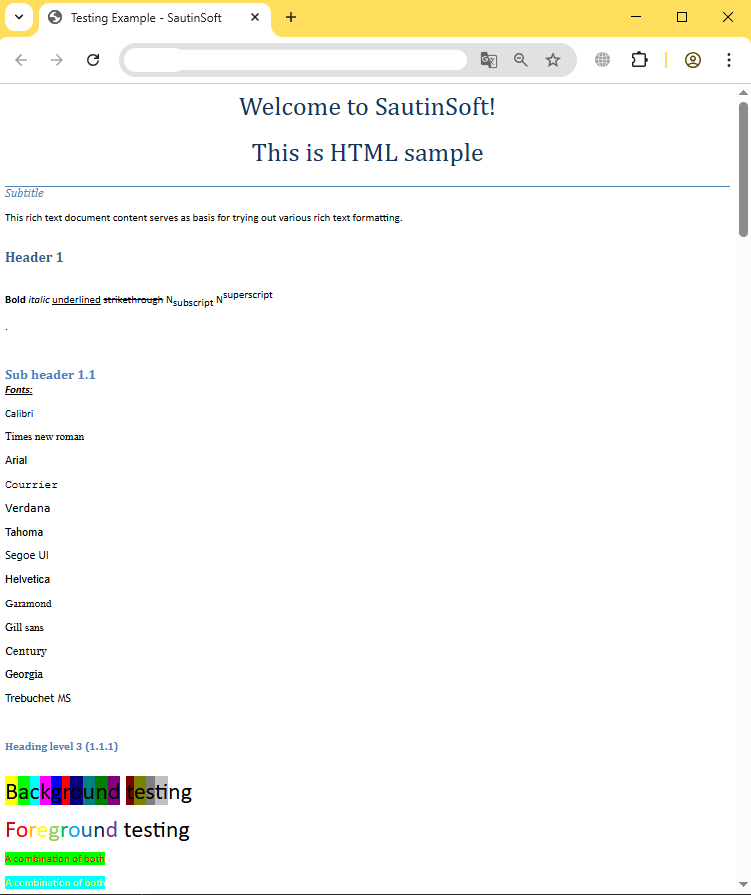
Input file:
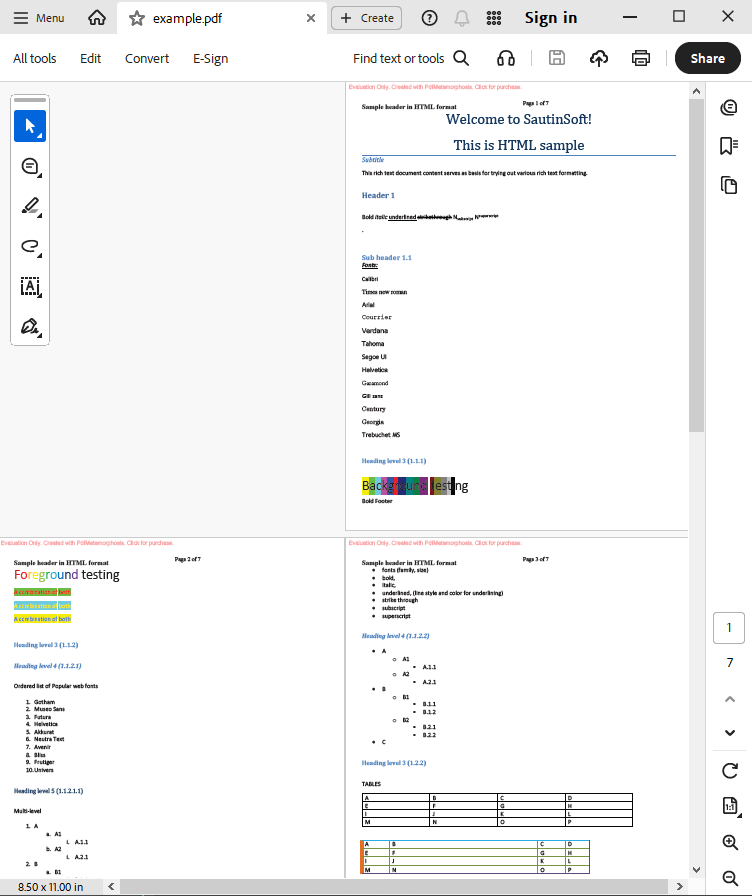
Output result:
Complete code
 GitHub
using System;
using System.IO;
using System.Collections;
namespace Sample
{
class Test
{
static void Main(string[] args)
{
// Before starting, we recommend to get a free key:
// https://sautinsoft.com/start-for-free/
// Apply the key here:
// SautinSoft.PdfMetamorphosis.SetLicense("...");
SautinSoft.PdfMetamorphosis p = new SautinSoft.PdfMetamorphosis();
if (p != null)
{
string htmlPath = @"..\..\..\example.htm";
string pdfPath = Path.ChangeExtension(htmlPath, ".pdf");
MemoryStream html = new MemoryStream(File.ReadAllBytes(htmlPath));
// 3. Convert HTML to PDF in stream
Stream pdf = p.HtmlToPdfConvertStream(html);
if (pdf != null)
{
pdf.Position = 0;
var ms = new MemoryStream();
pdf.CopyTo(ms);
ms.Position = 0;
// 3. Save the PDF document to a file for a viewing purpose.
File.WriteAllBytes(pdfPath, ms.ToArray());
System.Diagnostics.Process.Start(new System.Diagnostics.ProcessStartInfo(pdfPath) { UseShellExecute = true });
}
else
{
System.Console.WriteLine("Conversion failed!");
Console.ReadLine();
}
}
}
}
}Option Infer On
Imports System
Imports System.IO
Imports System.Collections
Namespace Sample
Friend Class Test
Shared Sub Main(ByVal args() As String)
' Before starting, we recommend to get a free key:
' https://sautinsoft.com/start-for-free/
' Apply the key here:
' SautinSoft.PdfMetamorphosis.SetLicense("...");
Dim p As New SautinSoft.PdfMetamorphosis()
If p IsNot Nothing Then
Dim htmlPath As String = "..\..\..\example.htm"
Dim pdfPath As String = Path.ChangeExtension(htmlPath, ".pdf")
Dim html As New MemoryStream(File.ReadAllBytes(htmlPath))
' 3. Convert HTML to PDF in stream
Dim pdf As Stream = p.HtmlToPdfConvertStream(html)
If pdf IsNot Nothing Then
pdf.Position = 0
Dim ms = New MemoryStream()
pdf.CopyTo(ms)
ms.Position = 0
' 3. Save the PDF document to a file for a viewing purpose.
File.WriteAllBytes(pdfPath, ms.ToArray())
System.Diagnostics.Process.Start(New System.Diagnostics.ProcessStartInfo(pdfPath) With {.UseShellExecute = True})
Else
System.Console.WriteLine("Conversion failed!")
Console.ReadLine()
End If
End If
End Sub
End Class
End Namespace
If you need a new code example or have a question: email us at support@sautinsoft.com or ask at Online Chat (right-bottom corner of this page).