How to set page size and margins in PDF using C# and .NET
Working with PDF documents is an important part of modern applications, especially when generating reports, invoices, or any other documents with precise formatting. One of the key tasks when creating such documents is managing page size and margins. Today, we'll look at how to implement this in C# and .NET using the component PDF Metamorphosis .NET from SautinSoft SDK — a powerful PDF tool that's easy to use and features rich.
Page size — the physical dimensions of a PDF document: standard (A4, Letter) or custom.
Margins — the internal indents of the content from the page edges, affecting the placement of text, images, and tables.
Configuring these parameters allows you to achieve a professional-looking document and precisely meet client requirements or standards.
How is the code for setting page size and margins useful?
- Allows you to automate document generation processes.
- Provides precise formatting adjustments, which is important when creating mass reports or templates.
- Reduces manual editing errors.
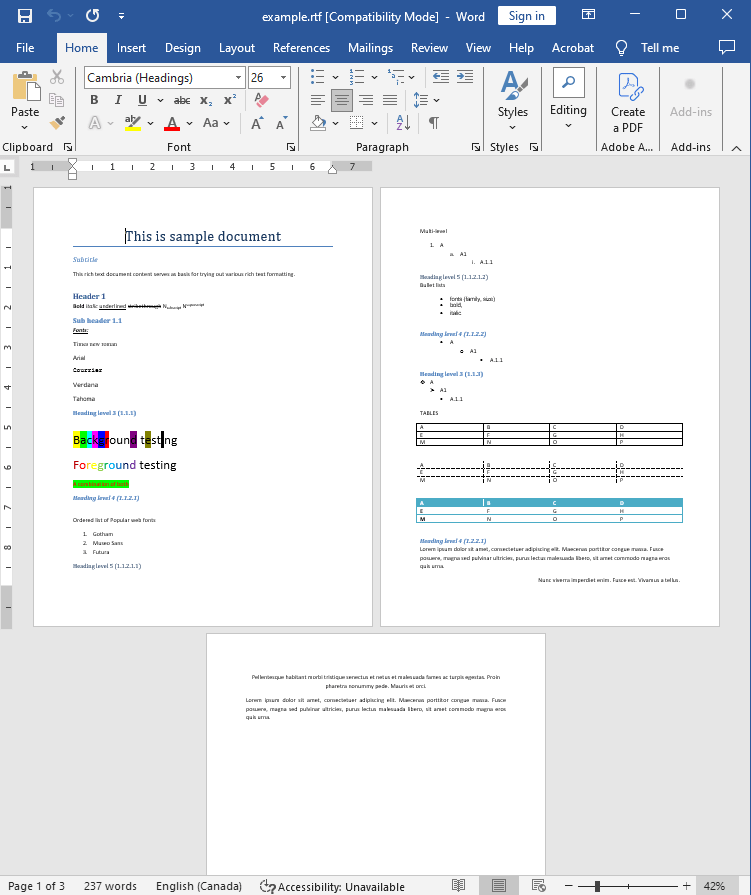
Input file:
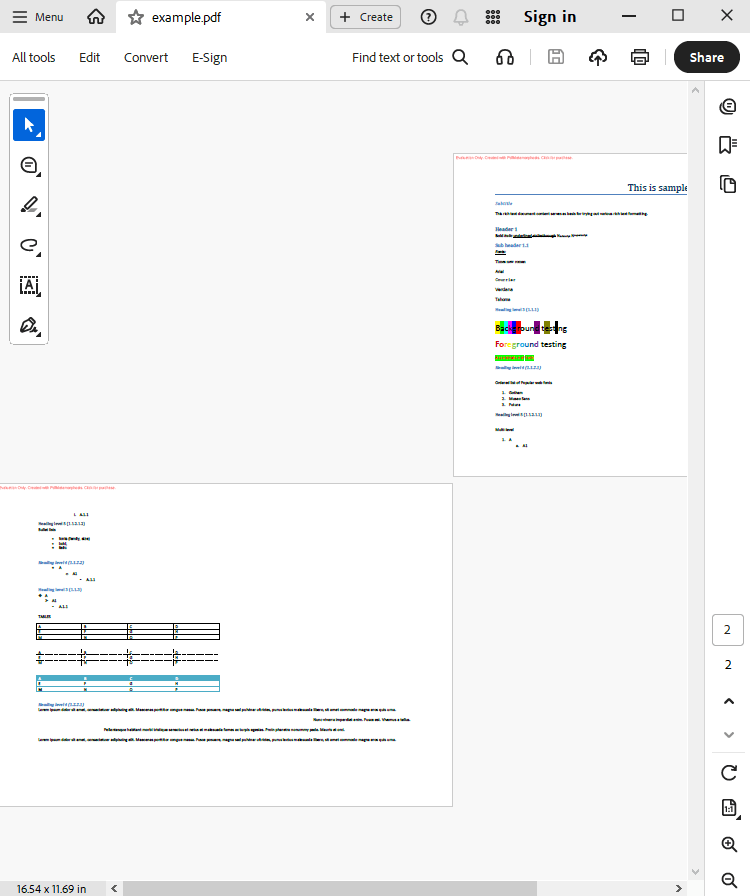
Output result:
Complete code
 GitHub
using System;
using System.IO;
using System.Collections;
namespace Sample
{
class Test
{
static void Main(string[] args)
{
// Before starting, we recommend to get a free key:
// https://sautinsoft.com/start-for-free/
// Apply the key here:
// SautinSoft.PdfMetamorphosis.SetLicense("...");
//How to set page size, orientation and margins
SautinSoft.PdfMetamorphosis p = new SautinSoft.PdfMetamorphosis();
//Let's set: A3, Landscape orientation, left and right margins: 1.5 Inch, top and bottom: 1 Inch
p.PageSettings.Size.A3();
p.PageSettings.Orientation = SautinSoft.PdfMetamorphosis.PageSetting.Orientations.Landscape;
p.PageSettings.MarginLeft.Inch(1.5f);
p.PageSettings.MarginRight.Inch(1.5f);
p.PageSettings.MarginTop.Inch(1.0f);
p.PageSettings.MarginBottom.Inch(1.0f);
if (p != null)
{
string rtfPath = @"..\..\..\example.rtf";
string pdfPath = Path.ChangeExtension(rtfPath, ".pdf");
int i = p.RtfToPdfConvertFile(rtfPath,pdfPath);
if (i !=0)
{
System.Console.WriteLine("An error occurred during converting RTF to PDF!");
}
else
{
System.Diagnostics.Process.Start(new System.Diagnostics.ProcessStartInfo(pdfPath) { UseShellExecute = true });
}
}
}
}
}
Module sample

    Sub Main()

        'How to set page size, orientation and margins
			' Before starting, we recommend to get a free key:
            ' https://sautinsoft.com/start-for-free/

            ' Apply the key here:
			' SautinSoft.PdfMetamorphosis.SetLicense("...");


        Dim p As New SautinSoft.PdfMetamorphosis()

        'Let's set: A3, Landscape orientation, left and right margins: 1.5 Inch, top and bottom: 1 Inch
        p.PageSettings.Size.A3()
        p.PageSettings.Orientation = SautinSoft.PdfMetamorphosis.PageSetting.Orientations.Landscape
        p.PageSettings.MarginLeft.Inch(1.5F)
        p.PageSettings.MarginRight.Inch(1.5F)
        p.PageSettings.MarginTop.Inch(1.0F)
        p.PageSettings.MarginBottom.Inch(1.0F)

        If p IsNot Nothing Then
            Dim rtfPath As String = "..\..\..\example.rtf"
            Dim pdfPath As String = "..\..\..\test.pdf"

            Dim i As Integer = p.RtfToPdfConvertFile(rtfPath, pdfPath)

            If i <> 0 Then
                System.Console.WriteLine("An error occurred during converting RTF to PDF!")
            Else
                System.Diagnostics.Process.Start(New System.Diagnostics.ProcessStartInfo(pdfPath) With {.UseShellExecute = True})
            End If
        End If
    End Sub
End ModuleIf you need a new code example or have a question: email us at support@sautinsoft.com or ask at Online Chat (right-bottom corner of this page).