How to add a watermark in PDF using C# and .NET
Adding watermarks to PDF files is a common task in document processing, business, legal, and publishing. In this article, we'll look at how to implement this task in C# and .NET using the powerful and flexible component PDF Metamorphosis .NET from SautinSoft SDK. We'll cover all the steps, advantages of this approach, and practical applications in detail.
Watermarks are visual or hidden marks placed on a document page to protect intellectual property, confirm authenticity, or identify it.
Their benefits:
- Copyright protection: prevents illegal copying and distribution.
- Document labeling: helps identify the source or status of a file.
- Counterfeit prevention: makes it difficult to forge or modify content.
- Branding: emphasize a document's affiliation with a company or project.
What is this code useful for?
- Automation: you can integrate an automated document labeling process.
- Flexible customization: easily adjust the watermark's position, style, and transparency.
- Scalability: suitable for processing thousands of documents.
- Security: an added watermark makes it difficult to counterfeit documents.
What tasks is it useful for?
- Add personal or corporate watermarks to reports, contracts, and presentations.
- Automatic marking of printed materials before publication.
- Protection against unauthorized distribution.
- Marking of confidential or approved documents.
Other interesting features:
- Flexible placement: specify coordinates, use the center of the page, or dynamically calculate the position.
- Add graphics: insert watermark images instead of text for greater emphasis.
- Processing protected PDFs: the library can handle password-protected documents.
- Multithreaded processing: parallelize operations for processing large volumes of documents.
Input file:
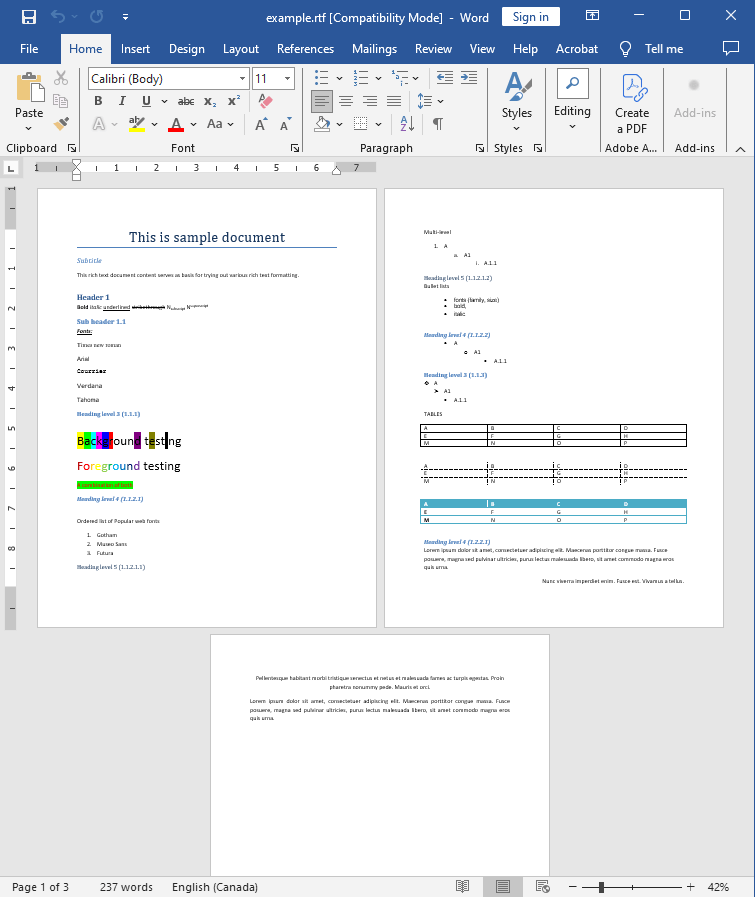
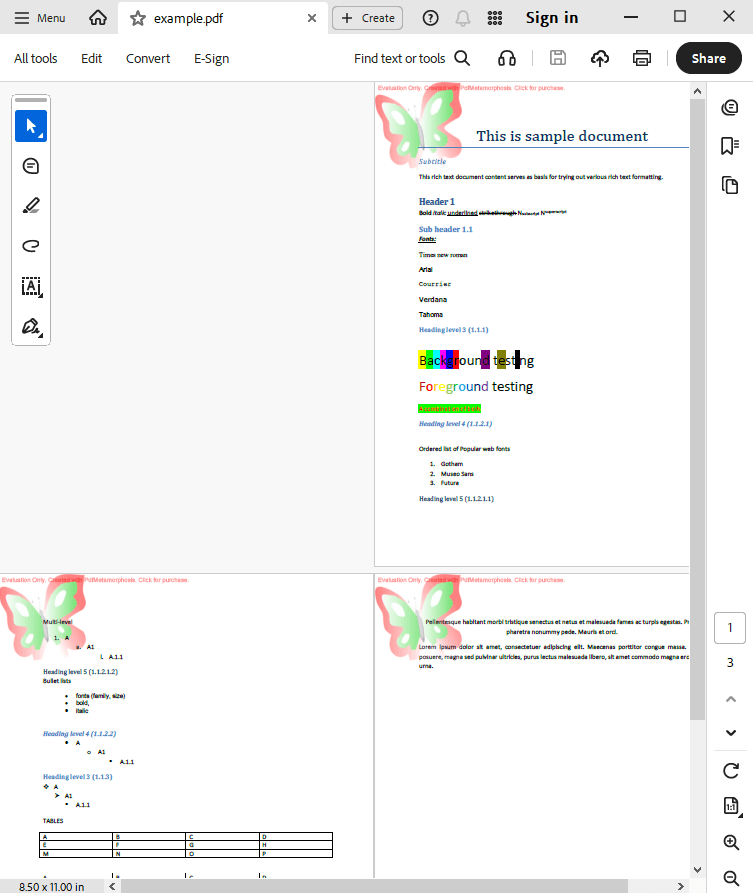
WaterMark:

Output result:
Complete code
 GitHub
using System;
using System.IO;
using System.Collections;
namespace Sample
{
class Test
{
static void Main(string[] args)
{
// Before starting, we recommend to get a free key:
// https://sautinsoft.com/start-for-free/
// Apply the key here:
// SautinSoft.PdfMetamorphosis.SetLicense("...");
SautinSoft.PdfMetamorphosis p = new SautinSoft.PdfMetamorphosis();
SautinSoft.PdfMetamorphosis.WaterMark w1 = new SautinSoft.PdfMetamorphosis.WaterMark(@"..\..\..\WaterMark.png");
w1.PosX.Mm = 0;
w1.PosX.Mm = 0;
w1.PosDX.Mm = 50;
w1.PosDY.Mm = 50;
p.WaterMarks.Add(w1);
if (p != null)
{
string rtfPath = @"..\..\..\example.rtf";
string pdfPath = Path.ChangeExtension(rtfPath, ".pdf");
int i = p.RtfToPdfConvertFile(rtfPath, pdfPath);
if (i != 0)
{
System.Console.WriteLine("An error occurred during converting RTF to PDF!");
}
else
{
System.Diagnostics.Process.Start(new System.Diagnostics.ProcessStartInfo(pdfPath) { UseShellExecute = true });
}
}
}
}
}
Module sample

    Sub Main()
			' Before starting, we recommend to get a free key:
            ' https://sautinsoft.com/start-for-free/

            ' Apply the key here:
			' SautinSoft.PdfMetamorphosis.SetLicense("...");


        Dim p As New SautinSoft.PdfMetamorphosis()

        Dim w1 As New SautinSoft.PdfMetamorphosis.WaterMark("..\..\..\WaterMark.png")

        w1.PosX.Mm = 0
        w1.PosX.Mm = 0
        w1.PosDX.Mm = 50
        w1.PosDY.Mm = 50

        p.WaterMarks.Add(w1)


        If p IsNot Nothing Then
            Dim rtfPath As String = "..\..\..\example.rtf"
            Dim pdfPath As String = "..\..\..\test.pdf"

            Dim i As Integer = p.RtfToPdfConvertFile(rtfPath, pdfPath)

            If i <> 0 Then
                System.Console.WriteLine("An error occurred during converting RTF to PDF!")
            Else
                System.Diagnostics.Process.Start(New System.Diagnostics.ProcessStartInfo(pdfPath) With {.UseShellExecute = True})
            End If
        End If
    End Sub
End ModuleIf you need a new code example or have a question: email us at support@sautinsoft.com or ask at Online Chat (right-bottom corner of this page).