How to change the page footer to the custom footer in PDF using C# and .NET
Working with PDF documents is a popular and in-demand task in software development. One common scenario is adding or changing a footer on document pages. This article will discuss how to use the component PDF Metamorphosis .NET from SautinSoft API to replace the default footer with a custom design, allowing you to brand documents or include additional information.
From a business application perspective, having relevant and unique footers helps:
- Include contact information, logos, or stamps.
- Provide legal signatures or acknowledgements.
- Standardize documents, for example, at a corporate level.
- Automate the process of adding documents using scripts.
The task boils down to accessing PDF pages, finding the current footer (or clearing it), and then creating your own. Since most PDFs are structured documents, functions for adding "layers" or drawing on pages are often used to make changes.
Other aspects of working with PDFs when editing footers:
- Multi-page document processing: automatically adding footers to all pages without exception.
- Dynamic content: inserting the current date, page number, or other dynamic content.
- Security: adding watermarks to protect copies.
- Format control: changing fonts, sizes, and colors of the footer element.
- Compatibility: quickly processing PDFs created in various tools and applications.
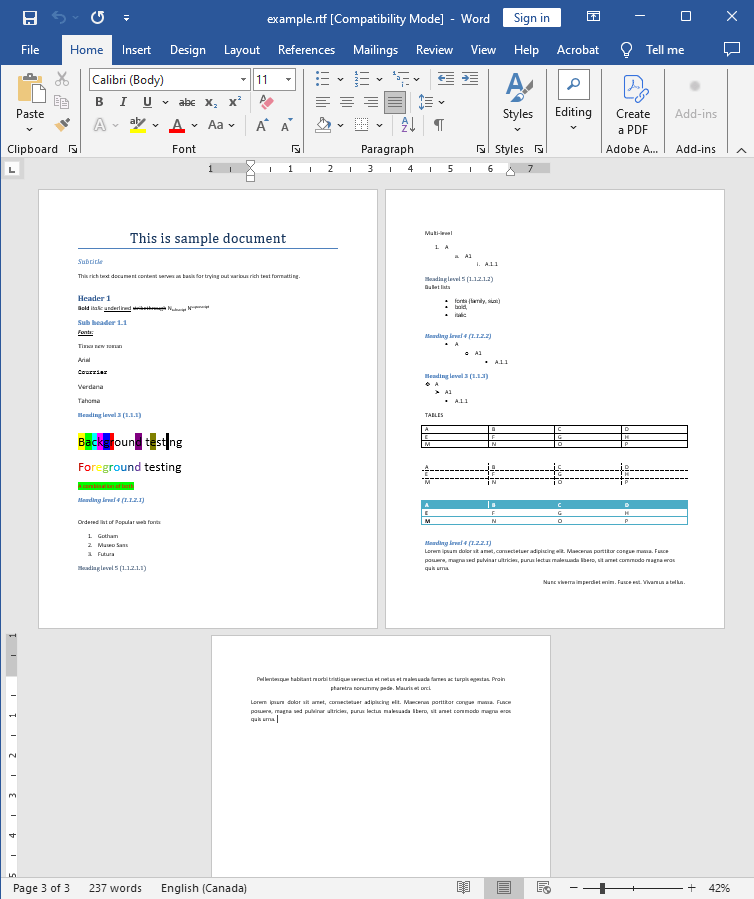
Input file:
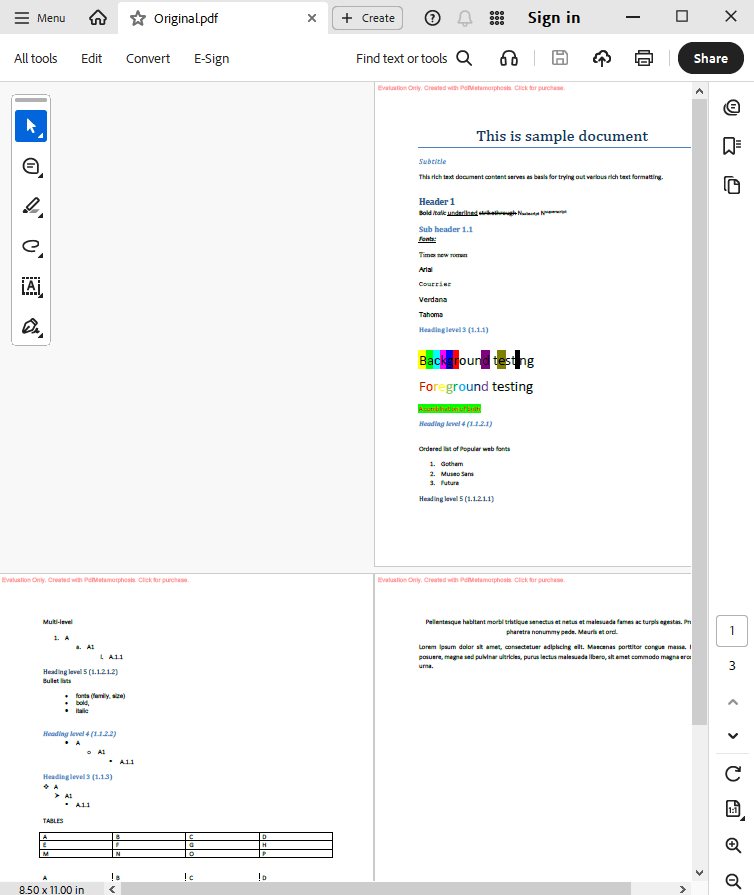
Output result 1:
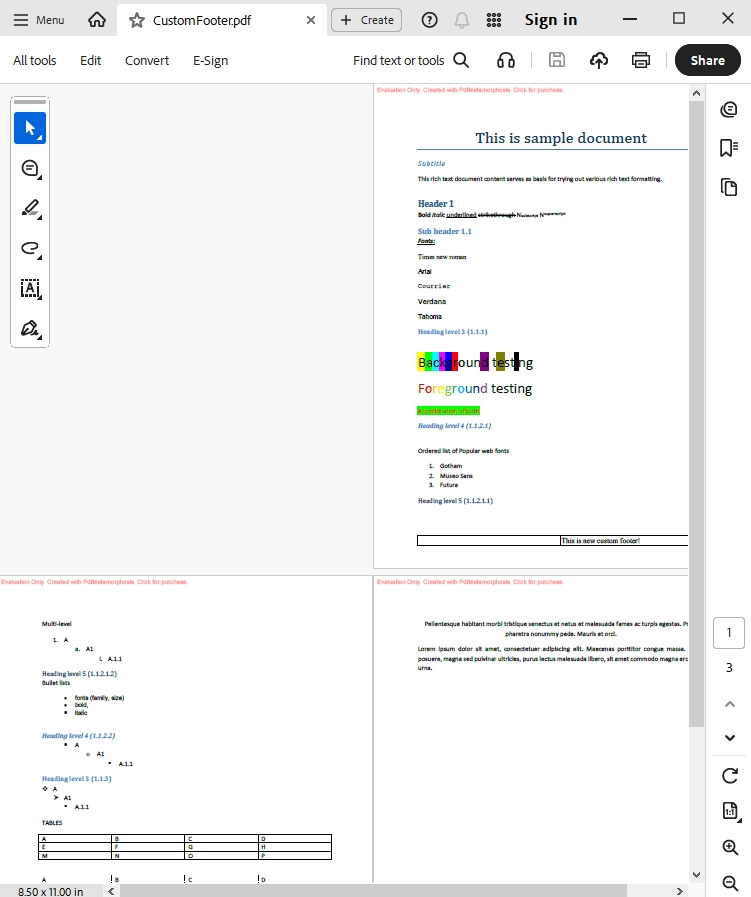
Output result 2:
Complete code
 GitHub
using System;
using System.IO;
using System.Collections;
namespace Sample
{
class Test
{
static void Main(string[] args)
{
// Before starting, we recommend to get a free key:
// https://sautinsoft.com/start-for-free/
// Apply the key here:
// SautinSoft.PdfMetamorphosis.SetLicense("...");
// How to change the page footer to the custom footer
SautinSoft.PdfMetamorphosis p = new SautinSoft.PdfMetamorphosis();
if (p != null)
{
string inputFile = @"..\..\..\example.rtf";
string originalPdf = @"..\..\..\Original.pdf";
string customPdf = @"..\..\..\CustomFooter.pdf";
// Let's convert RTF which has an own page footer to PDF
if (p.RtfToPdfConvertFile(inputFile, originalPdf)==0)
{
System.Diagnostics.Process.Start(new System.Diagnostics.ProcessStartInfo(originalPdf) { UseShellExecute = true });
}
// Let's change the footer to custom
string footerInHtml = "<table width=\"100%\" border=\"1\"><tr><td width=\"50%\"></td><td>This is new custom footer!</td></tr></table>";
p.PageSettings.Footer.FromString(footerInHtml, SautinSoft.PdfMetamorphosis.HeadersFooters.InputFormat.Html);
// Let's convert RTF to PDF and change the footer to the custom
if (p.RtfToPdfConvertFile(inputFile, customPdf) == 0)
{
System.Diagnostics.Process.Start(new System.Diagnostics.ProcessStartInfo(customPdf) { UseShellExecute = true });
}
}
}
}
}
Module sample

    Sub Main()

        'How to change the page footer to the custom footer
				' Activate your license here
				' SautinSoft.PdfMetamorphosis.SetLicense("1234567890")

        Dim p As New SautinSoft.PdfMetamorphosis()

        If p IsNot Nothing Then
            Dim inputFile As String = "..\..\..\example.rtf"
            Dim originalPdf As String = "..\..\..\Original.pdf"
            Dim customPdf As String = "..\..\..\CustomFooter.pdf"

            'Let's convert RTF which has a page footer to PDF
            If p.RtfToPdfConvertFile(inputFile, originalPdf) = 0 Then
                System.Diagnostics.Process.Start(New System.Diagnostics.ProcessStartInfo(originalPdf) With {.UseShellExecute = True})
            End If

            'Let's change footer to the custom
            Dim footerInHtml As String = "<table width=""100%"" border=""1""><tr><td width=""50%""></td><td>This is new custom footer!</td></tr></table>"
            p.PageSettings.Footer.FromString(footerInHtml, SautinSoft.PdfMetamorphosis.HeadersFooters.InputFormat.Html)

            'Let's convert RTF which has a page footer to PDF
            If p.RtfToPdfConvertFile(inputFile, customPdf) = 0 Then
                System.Diagnostics.Process.Start(New System.Diagnostics.ProcessStartInfo(customPdf) With {.UseShellExecute = True})
            End If
        End If
    End Sub
End ModuleIf you need a new code example or have a question: email us at support@sautinsoft.com or ask at Online Chat (right-bottom corner of this page).