How to convert Excel to PDF and fit each sheet to a single page in C# and .NET
In today's world of business applications, converting Excel spreadsheets to PDF is often necessary. This format is convenient for sharing, storing, and printing. A particularly important consideration is balancing readability with compactness, for example, fitting each Excel sheet onto a single page without losing important information. In this article, we'll look at how to effectively convert this task on the .NET platform using the powerful and versatile Excel to PDF .NET from API SautinSoft.
Such solutions are often used in business analytics, electronic reporting, documentation preparation, and, ultimately, electronic archiving.
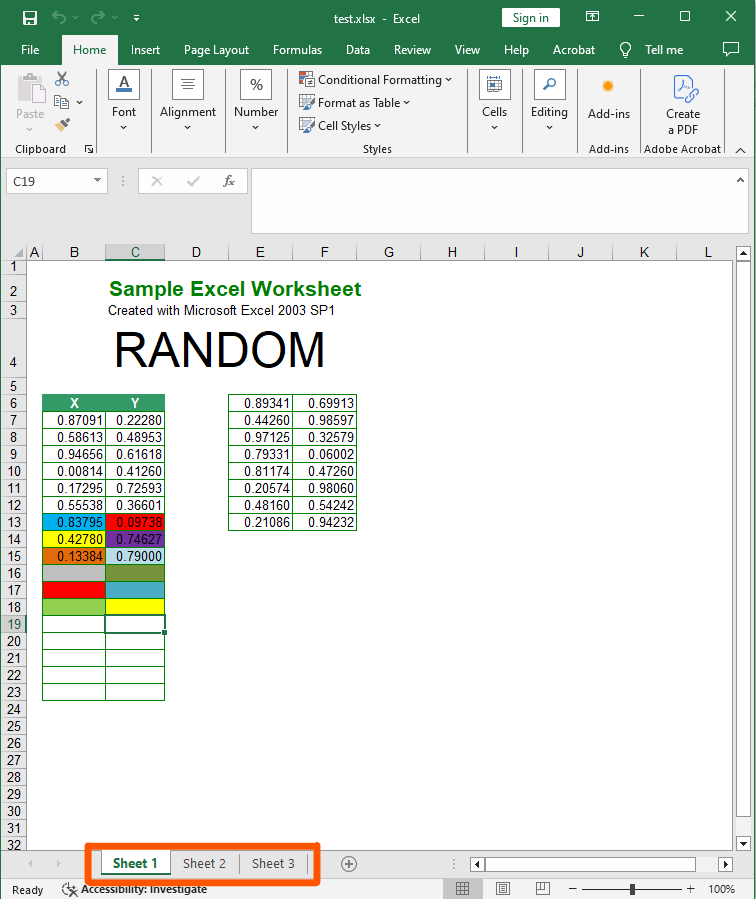
Input file:
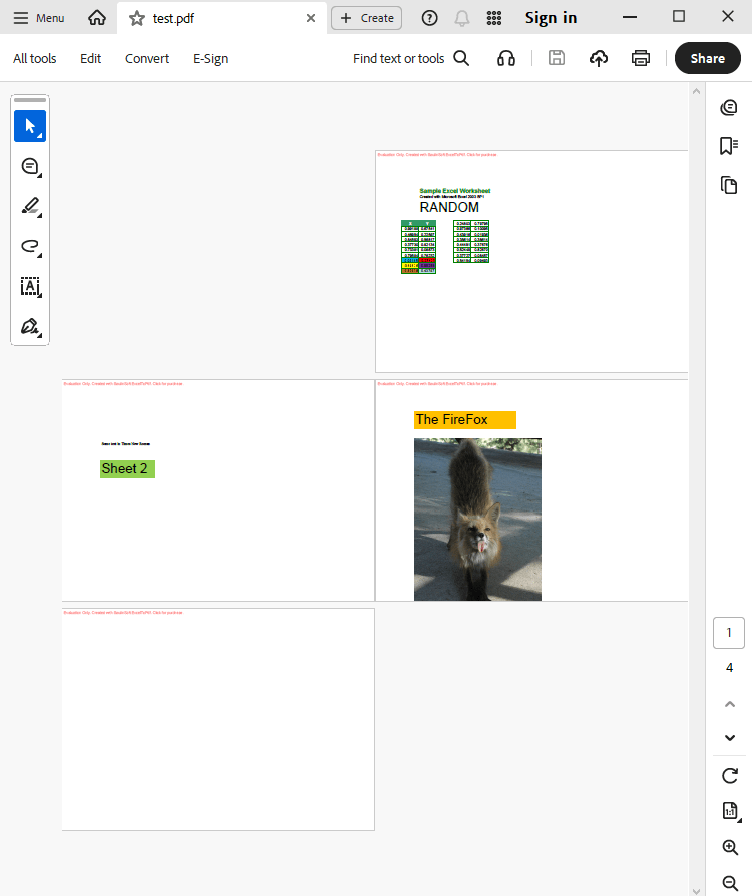
Output result:
Complete code
 GitHub
using System;
using System.IO;
using SautinSoft;
namespace Sample
{
class Sample
{
static void Main(string[] args)
{
// Fit each sheet to a single page fixed size.
ExcelToPdf x = new ExcelToPdf();
// Fit each sheet to single PDF page, A4 format.
x.PageStyle.PageSize.A4();
x.PageStyle.PageScale.Auto();
// Set PDF as output format.
x.OutputFormat = SautinSoft.ExcelToPdf.eOutputFormat.Pdf;
string excelFile = Path.GetFullPath(@"..\..\..\test.xlsx");
string pdfFile = Path.ChangeExtension(excelFile, ".pdf"); ;
try
{
x.ConvertFile(excelFile, pdfFile);
System.Diagnostics.Process.Start(new System.Diagnostics.ProcessStartInfo(pdfFile) { UseShellExecute = true });
}
catch (Exception ex)
{
Console.WriteLine(ex.Message);
Console.ReadLine();
}
}
}
}
Imports System
Imports System.IO
Imports SautinSoft

Module Sample

    Sub Main()

        ' Fit each sheet to a single page fixed size.
        Dim x As New ExcelToPdf()

        'Fit each sheet to single PDF page, A4 format.
        x.PageStyle.PageSize.A4()
        x.PageStyle.PageScale.Auto()

        ' Set PDF as output format.
        x.OutputFormat = SautinSoft.ExcelToPdf.eOutputFormat.Pdf

        Dim excelFile As String = Path.GetFullPath("..\..\..\test.xlsx")
        Dim pdfFile As String = Path.ChangeExtension(excelFile, ".pdf")

        Try
            x.ConvertFile(excelFile, pdfFile)
            System.Diagnostics.Process.Start(New System.Diagnostics.ProcessStartInfo(pdfFile) With {.UseShellExecute = True})
        Catch ex As Exception
            Console.WriteLine(ex.Message)
            Console.ReadLine()
        End Try
    End Sub
End Module
If you need a new code example or have a question: email us at support@sautinsoft.com or ask at Online Chat (right-bottom corner of this page).