Convert Excel file to PDF file in C# and .NET
In modern business and document management, there's often a need to combine Excel data into a viewable PDF format. This is especially true when preparing reports for presentations, mailings, or archiving, as PDF files provide a high level of compatibility and formatting preservation. Today, we'll discuss ways to automate this process in C# and .NET using the powerful EXCEL TO PDF .NET from SautinSoft library, which allows you to quickly and easily convert Excel documents to PDF with the ability to fit each sheet to a single page.
What is the code useful for, and who will benefit from it?
- Reporting automation. Managers and analysts can automate report preparation.
- Internal tool development. Programmers can add PDF export functionality to corporate systems.
- Large-scale data processing. One way to quickly save and distribute information without having to work directly with Excel files.
- Printable form creation. Preparing documents for printing or archiving, where a consistent format is essential.
What is this technology suitable for?
- Generate presentable reports.
- Create archival copies of documents.
- Automate internal document flow.
- Prepare documents for external partners or clients.
- Integrate into office workflows to speed up routine tasks.
This feature is especially valuable when it's important to ensure consistent and high-quality data display, avoiding errors associated with different display styles of Excel files on user devices. Many corporate systems use similar solutions to streamline document flow. End users value high-quality and readable documentation, and developers appreciate the ability to quickly integrate such features into their projects, increasing their value.
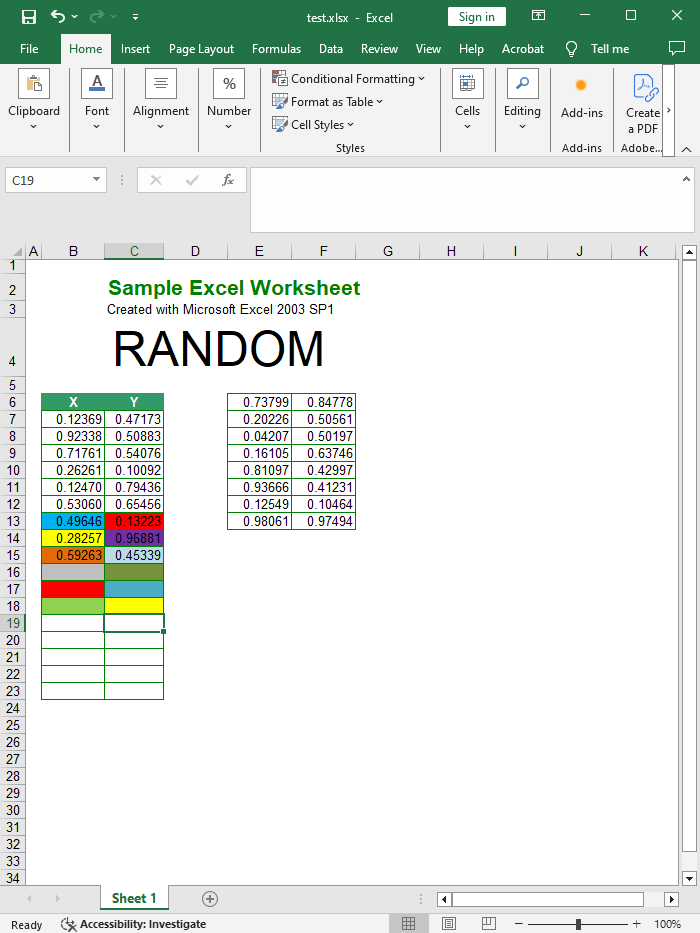
Input file:
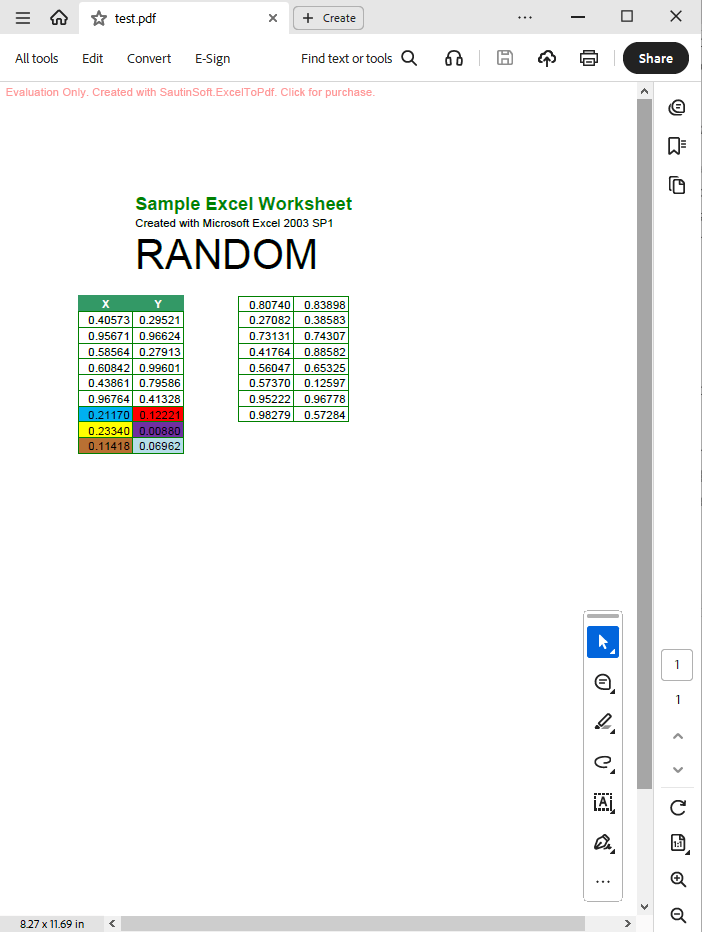
Output result:
Complete code
 GitHub
using System;
using System.IO;
using SautinSoft;
namespace Sample
{
class Sample
{
static void Main(string[] args)
{
// Convert Excel file to PDF file
ExcelToPdf x = new ExcelToPdf();
// Set PDF as output format.
x.OutputFormat = SautinSoft.ExcelToPdf.eOutputFormat.Pdf;
string excelFile = Path.GetFullPath(@"..\..\..\test.xlsx");
string pdfFile = Path.ChangeExtension(excelFile, ".pdf"); ;
try
{
x.ConvertFile(excelFile, pdfFile);
System.Diagnostics.Process.Start(new System.Diagnostics.ProcessStartInfo(pdfFile) { UseShellExecute = true });
}
catch (Exception ex)
{
Console.WriteLine(ex.Message);
Console.ReadLine();
}
}
}
}
Imports System
Imports System.IO
Imports SautinSoft

Module Sample

    Sub Main()
        ' Convert Excel file to PDF file
        Dim x As New ExcelToPdf()

        ' Set PDF as output format.
        x.OutputFormat = SautinSoft.ExcelToPdf.eOutputFormat.Pdf

        Dim excelFile As String = Path.GetFullPath("..\..\..\test.xlsx")
        Dim pdfFile As String = Path.ChangeExtension(excelFile, ".pdf")

        Try
            x.ConvertFile(excelFile, pdfFile)
            System.Diagnostics.Process.Start(New System.Diagnostics.ProcessStartInfo(pdfFile) With {.UseShellExecute = True})
        Catch ex As Exception
            Console.WriteLine(ex.Message)
            Console.ReadLine()
        End Try
    End Sub
End Module
If you need a new code example or have a question: email us at support@sautinsoft.com or ask at Online Chat (right-bottom corner of this page).